Re S.p.A. T-two – standard model
Rev. 05/15 3/14
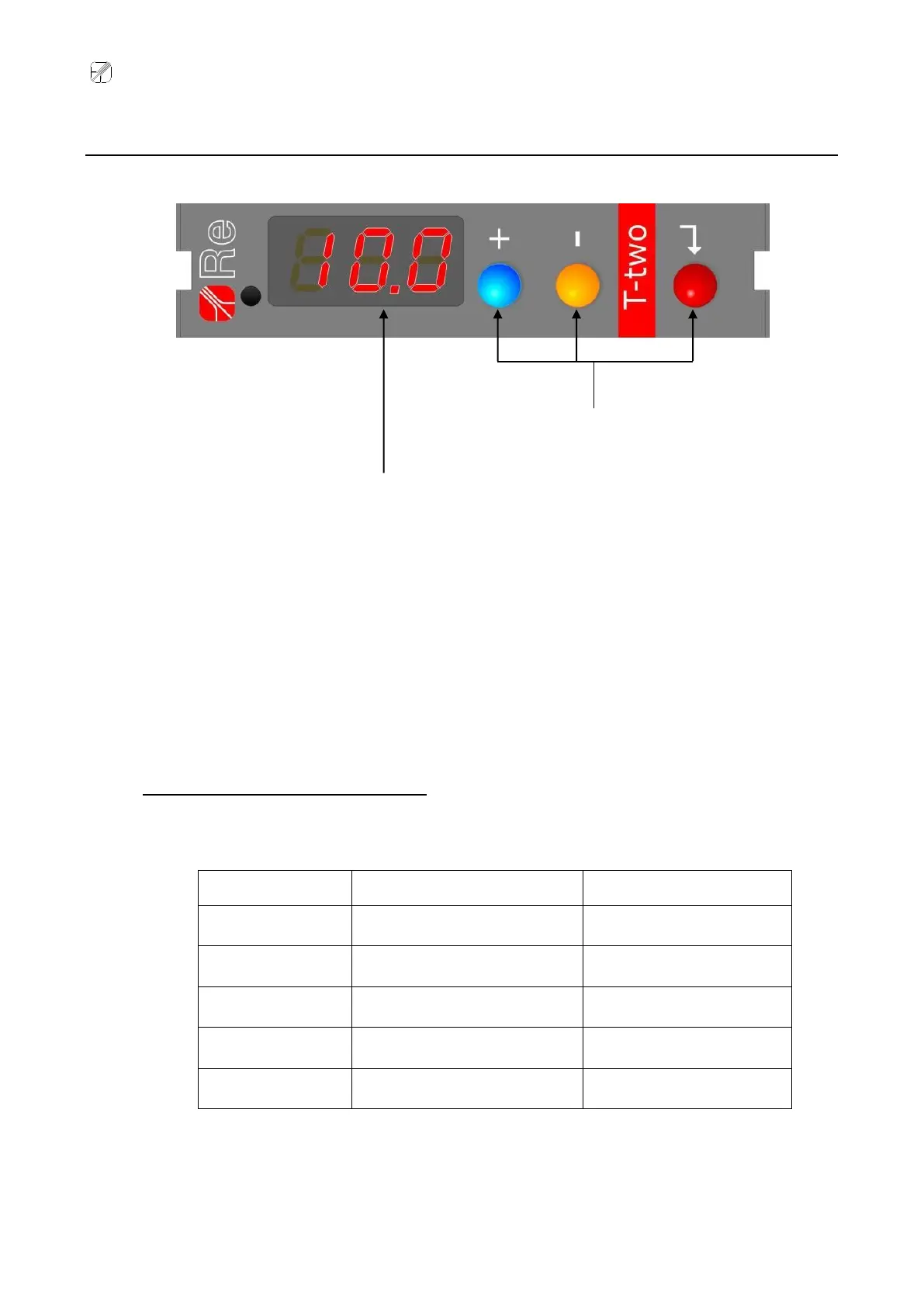
Interface
The T-two unit features two separate configuration menus: The first menu is identified by the initials
P.0 and includes all the functions necessary for setting up the device hardware, whereas the second,
which is identified by the initials P.1, can be used to set-up the tension regulator operating
parameters.
When the user selects a menu without accessing it, the display indicates some useful additional
information about the selected menu. To select the menu, press and hold the key for
approximately 3 seconds the letter P. Appears on the display, followed by the menu identification
number; press the + / – keys to scroll to the desired menu, then press to select it and continue
pressing to access the functions menu.
Information indicated on the display
The following table lists the information that may appear on the display, depending on which menu
has been selected.
Tension (kg)/Position (%)
Current (A) supplied by AO3
* For a list of the states, see the table on page 4



 To Next Page