28
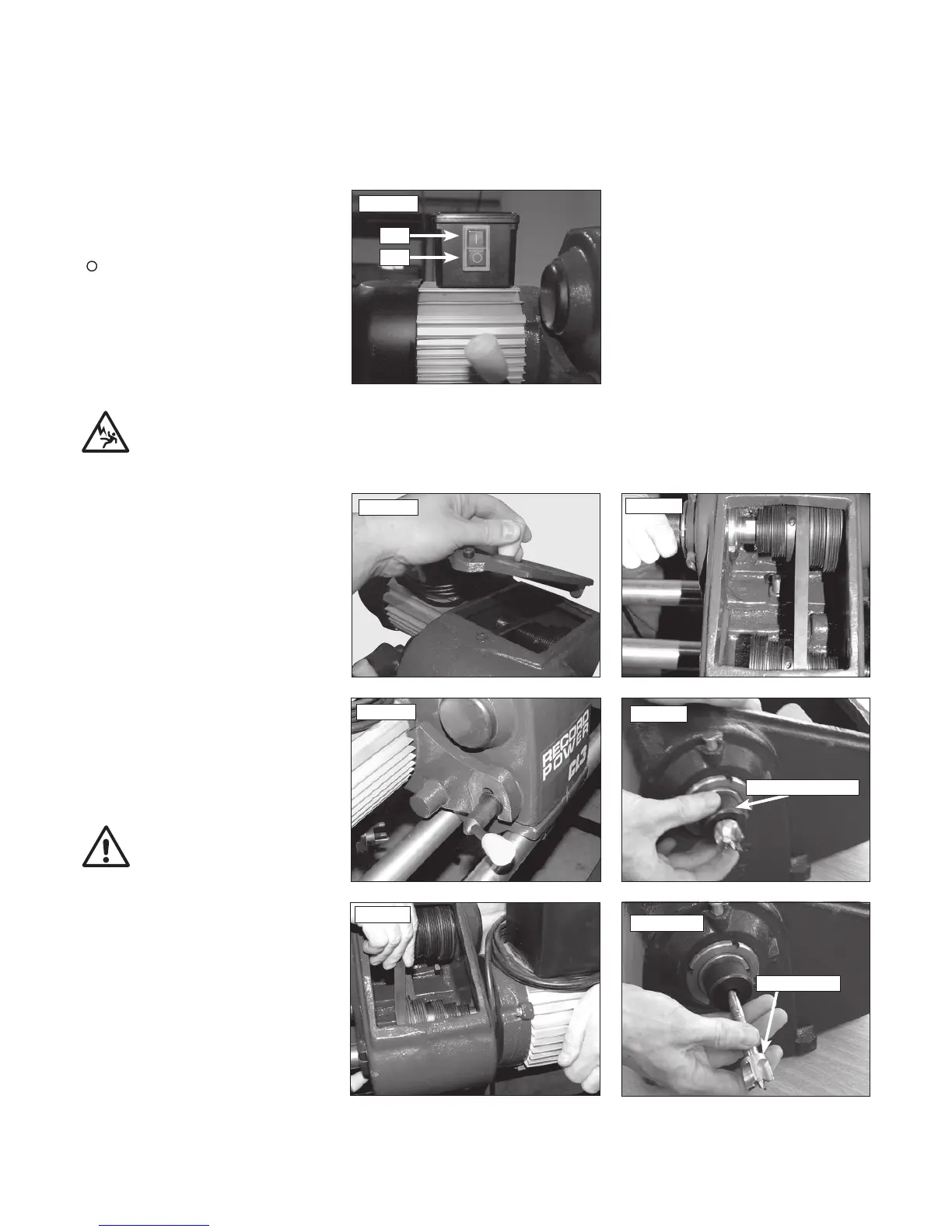
The CL3-CAM switch box is located on the
motor unit, attached to the head stock. To turn
the CL3-CAM on, press the green switch marked
'|'. To stop the lathe, press the red switch marked
'
'. See Fig 10.2.
10. Lathe Operation - cont.
Fig.10.5
Fig.10.6
Fig.10.4
Fig.10.3
Fig.10.7
Thread protector
Fig.10.8
Drive centre
CONTROLS AND FUNCTIONS OF THE CL3-CAM SWITCH BOX
Fig.10.2
On
Off
CHANGING THE BELT SPEED
1. Turn the lathe OFF and disconnect from
power source.
2. Remove headstock cover. Fig.10.3.
3. Unlock motor plate using the tension lever.
Fig.10.7.
4. Lift motor to loosen belt.
5. While supporting the weight of the motor
with one hand, move the belt to the desired
pulley position Fig.10.5. Turn the spindle by
hand to ensure the belt is seated on
both pulleys.
6. Lower motor to tighten the belt.
7. Rotate pulleys by hand to seat the belt on
pulleys Fig.10.6.
8. Replace the headstock cover.
9. Reconnect the power plug to the power
source. Turn the lathe on and check the spindle.
If not turning at the desired speed, repeat steps
above, starting with step 1.
WARNING: Do not operate the lathe without
the headstock cover locked in place. Loose items,
clothing or hands may enter the opening and
become entangled in rotating parts. Serious
injury could occur.
CHANGING THE
HEADSTOCK FITMENT
To change the headstock fitment:
1. Remove the headstock cover. Fig.10.3.
2. Hold the spindle inside of the headstock to
stop it from turning, either by hand or with the
spanner held on the wrench flat Fig.10.7.
3. Loosen the thread protector using the pry bar
(item 18) if necessary.
4. The drive centre can then be removed
Fig.10.8.



 To Next Page