Red Sea MAX User Manual
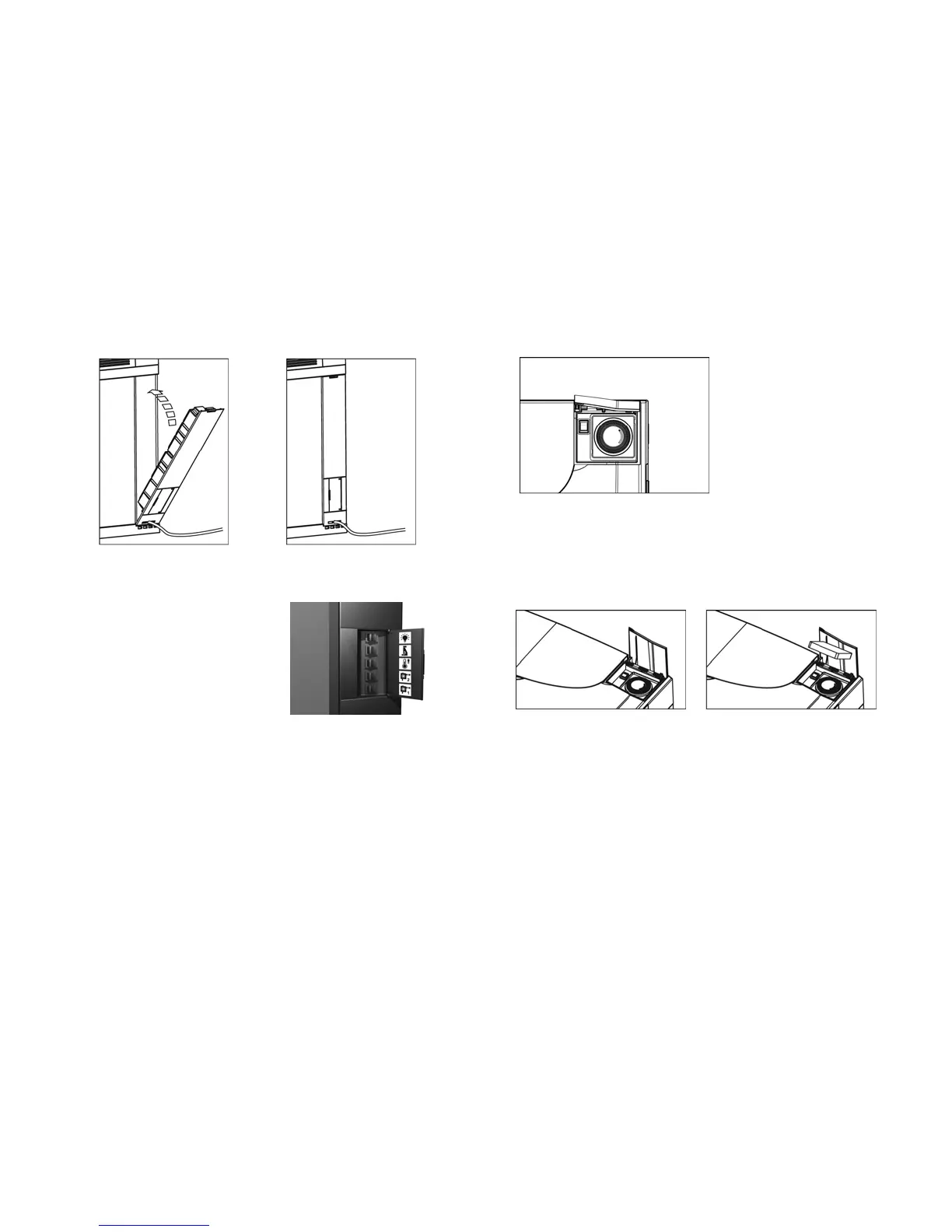
Figure 27: Inserting power center
Open the control panel on
the outside of the power
center and make sure all
the switches are set to OFF
(“O” pressed down and the
“I” up).
Figure 28: Control panel
10.
Operating the lighting hood
Open the lighting control panel. You will see a timer and a
switch, that control the main T5 daylights and the LED
moonlights respectively.
Figure 29: Timer and switch
The timer has a protective transparent splash cover to protect
the system from water damage. Always dry your hands
before removing the splash cover. Make sure that it is always
replaced after adjusting the timer.
Figure 30: Removing the splash cover
The timer has a 3-position switch:
• I (ON position) – Daylights on, moonlights off
• O (OFF position – Daylights off, moonlights on
• Clock symbol – Automatically changes between the “I”
and “O” settings according to the preset of the timer.
17



 To Next Page