REDBACK QUICK SETUP GUIDE
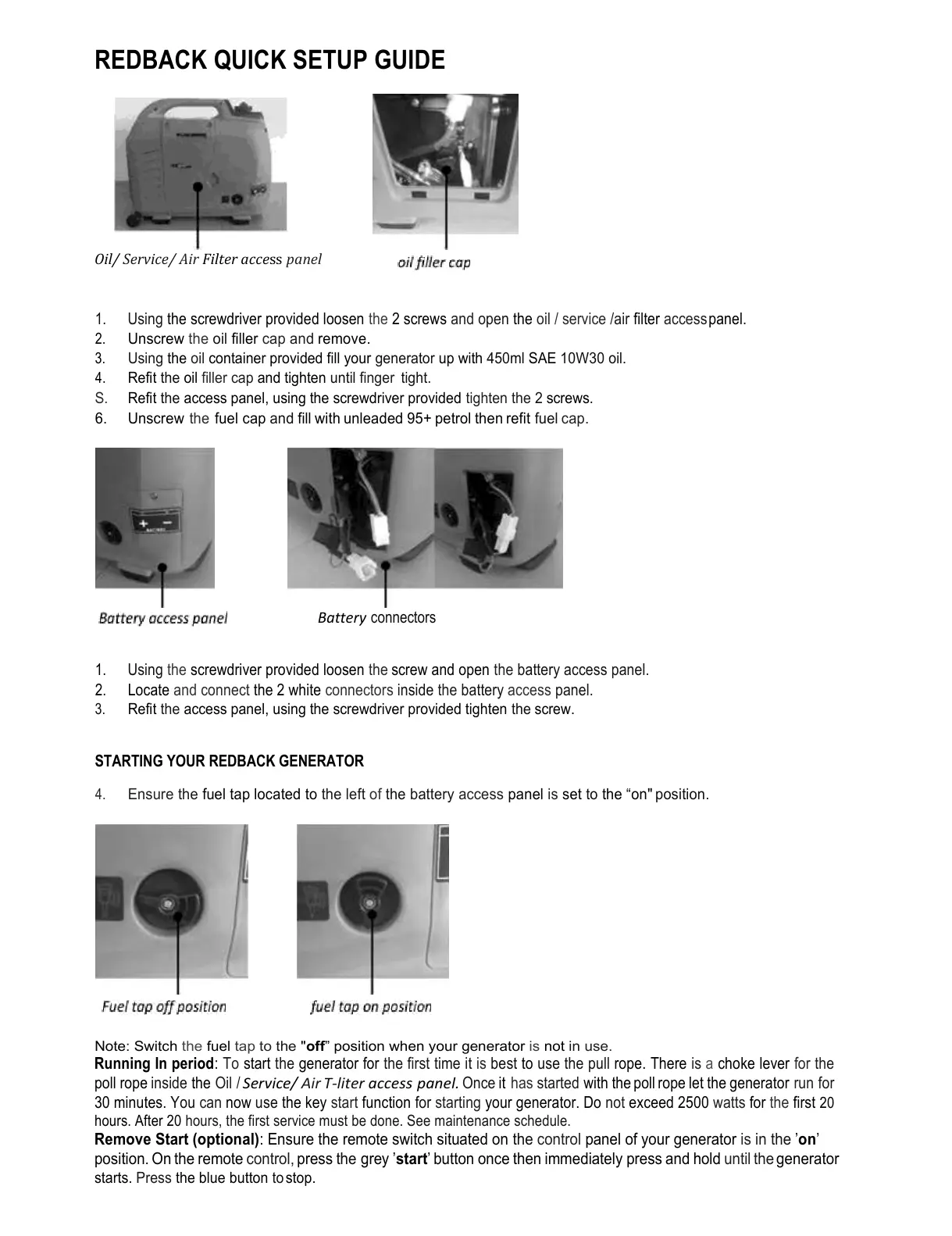
Oil/ Service/ Air Filter access panel
1.
Using the screwdriver provided loosen the 2 screws and open the oil / service /air filter access panel.
2.
Unscrew the oil filler cap and remove.
3.
Using the oil container provided fill your generator up with 450ml SAE 10W30 oil.
4.
Refit the oil filler cap and tighten until finger tight.
S. Refit the access panel, using the screwdriver provided tighten the 2 screws.
6. Unscrew the fuel cap and fill with unleaded 95+ petrol then refit fuel cap.
Battery connectors
1.
Using the screwdriver provided loosen the screw and open the battery access panel.
2.
Locate and connect the 2 white connectors inside the battery access panel.
3.
Refit the access panel, using the screwdriver provided tighten the screw.
STARTING YOUR REDBACK GENERATOR
4.
Ensure the fuel tap located to the left of the battery access panel is set to the “on" position.
Note: Switch the fuel tap to the "
off
” position when your generator is not in use.
Running In period
: To start the generator for the first time it is best to use the pull rope. There is a choke lever for the
poll rope inside the Oil /
Service/ Air T-liter access panel.
Once it has started with the poll rope let the generator run for
30 minutes. You can now use the key start function for starting your generator. Do not exceed 2500 watts for the first
20
hours. After 20 hours, the first service must be done. See maintenance schedule.
Remove Start (optional)
: Ensure the remote switch situated on the control panel of your generator is in the ’
on
’
position. On the remote control, press the grey ’
start
’ button once then immediately press and hold until the generator
starts. Press the blue button to stop.


 To Next Page