GUI- 003 Knowledge Base- Resetting your Redback Inverter
Audience: Home owner Installer .
Version 1.0 - 27/07/2018 - Page 10 of 16
9.
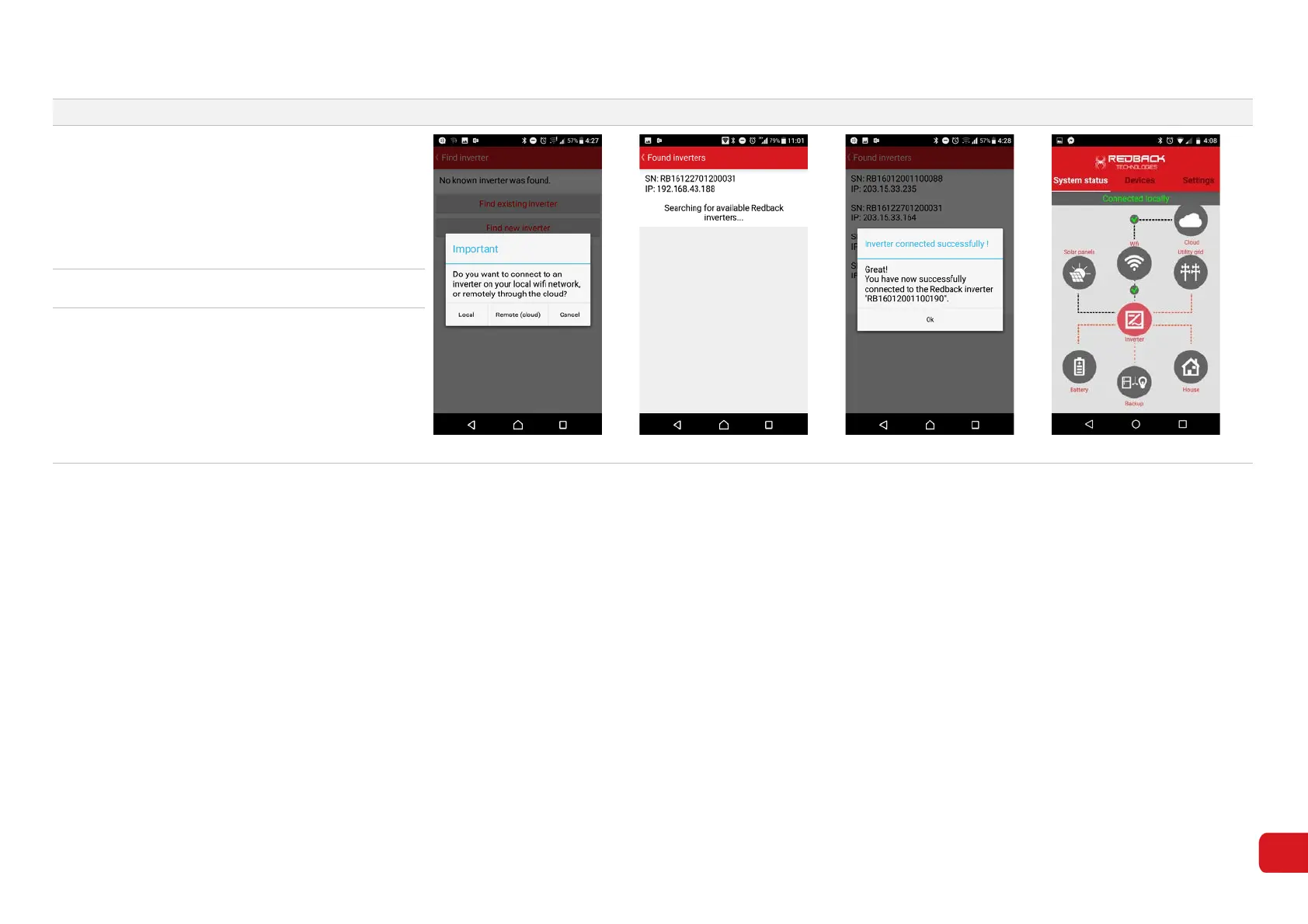
The message “Important. Do you want to connect
to an inverter on your local Wi-Fi etc” may
appear. Touch Local to continue (7-12).
Touch Find existing inverter. Redback inverters
connected to your home network are listed.
Select your serial number from the list.
Figure 7-12
Figure 7-13
Figure 7-14
Figure 7-15
10. Touch OK on the success message (7-14).
11.
On the App System Tab,
between the Inverter,
Wi-Fi and Cloud icons indicate the system is
connected to the internet (7-15).
Confirm connection using the Redback Portal.



 To Next Page