7
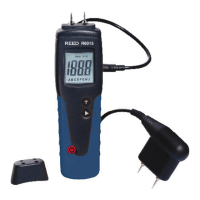
7. To change the WET alarm value, press the UP or DOWN buttons.
8. Press the SET button to save the WET alarm value and to return to
data hold mode.
9. IfthemoisturemeasurementexceedsthesetRISKalarmsetting,the
meterwillbeepeverysecond.Ifthemoisturemeasurementexceeds
the set WET alarm setting, the meter will beep every half second.
10. Press the MEASbuttontoexitdataholdmodeandresume
normal operation.
Backlighting
Press the UP/ button to turn backlighting on and off.
Moisture Comparison Table
Construction Material Display (Unit) Moisture Status
Gypsum
<30 DRY
30-60 RISK
>60 WET
Cement
<25 DRY
25-50 RISK
>50 WET
Wood
<50 DRY
50-80 RISK
>80 WET
REED Instruments
1-877-849-2127 | info@reedinstruments.com | www.reedinstruments.com



 To Next Page