Operating Instructions
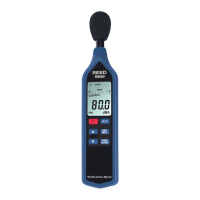
1. Turn the meter on by pressing the Power Button. To turn the meter
off, press and hold the Power Button.
2. Press the Time Weighting Button to select the desired Response
Time. If the sound source consists of short bursts, set the
response to FAST. To measure average sound level, select SLOW.
3. Press the Frequency Weighting Button to select the Frequency.
Select “A” Weighting for a general noise sound level, or “C”
Weighting for measuring sound levels of acoustic material. If the
“C” Weighted Level is much higher than the “A” Weighted Level
then there will be a large amount of low-frequency noise.
4. Press the Level Button to select the range. The ranges are “Lo”,
“Med”, “Hi”, and “Auto.
5. Point the Microphone towards the noise to take a measurement.
Max/Min Hold
Press the MAX / MIN Hold Button to start taking Maximum and Minimum
Measurements. Be sure to have the proper Level and Response selected
before you enter Max/Min mode.
1. Press the Max/Min Hold Button once to show the MAX value.
2. Press the button again to show the MIN value.
3. Press the button again to record both the MAX and MIN
measurements. The value on the screen is the current value.
4. Press and hold the Max/Min Hold Button to exit.
Auto Power Off
By default, when the meter is powered on, it is under auto power off
mode. The meter will turn itself off after 30 minutes of inactivity. Auto
Power Off is deactivated while recording or when connected to a PC. To
turn this function on and off, while the meter is turned off, press and hold
the Interval Button, then turn the meter on.
1.888.475.5235info@REED-Direct.com
REED-Direct.com



 To Next Page