Pantone 534 Blue
Pantone 123 Yellow
Pantone 485 Red
Pantone 123 Yellow
Pantone 534 Blue
Black
Rich Black -
20/20/20/100
Blue - 100/80/30/5
Yellow - 0/27/100/0
Red - 10/100/100/5
Yellow - 0/27/100/0
Blue - 100/80/30/5
Only if you REALLY need them:
Pantone 534 Blue - 100/80/30/5
Pantone 485 Red - 10/100/100/5
Pantone 123 Yellow - 0/27/100/
INSTRUMENTS
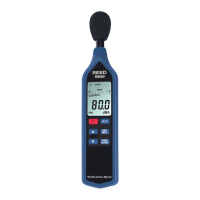
Interval Data Logging Setup
1. While the meter is turned off, press and hold the Frequency
Weighting Button, and then turn the meter on.
2. Press the Fast/Slow button, and “Int” will appear on the screen,
along with a ashing time value.
3. Press the Up and Down buttons to set the recording interval in
minutes and seconds. A maximum value of 1 minute and
minimum value of 1 second can be set.
4. Press the Interval Button to begin Interval Data Logging. Press the
Power button to cancel at any time during setup and
measuring.
Clearing Stored Data
This will delete all internal memory. Be sure to download any records you
wish to save before Clearing the memory.
1. While the meter is turned off, press and hold the Record Button.
2. Press and hold the Power Button for 5 seconds.
3. The LCD will display “CLr” and “SURE”, indicating the internal
memory is cleared.
1.888.475.5235info@REED-Direct.com
REED-Direct.com



 To Next Page