79
g Aircraft ight status data D: The distance between the current position of the aircraft and the take-
off point.
H: The altitude of the aircraft’s current position and take-off point.
HS: The current horizontal ight speed of the aircraft.
VS: The current vertical ight speed of the aircraft.
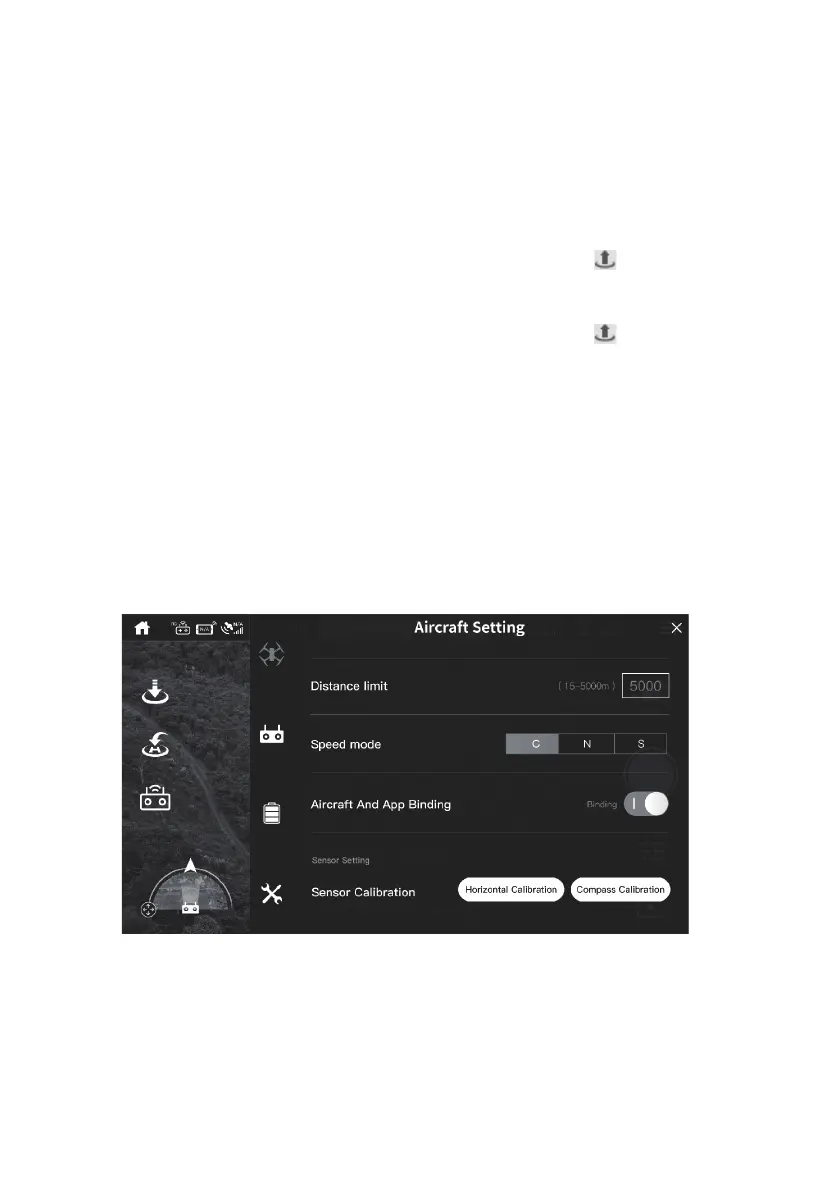
h General settings Click to enter the general settings menu.
i One key takeoff
Before the aircraft takes off, the take-off icon ″
″ is displayed. After
clicking, the aircraft will automatically take off and hoverata height of
1.2 meters.
One key landing
After the aircraft takes off, the landing icon ″
″ is displayed, and
the aircraft automatically descends to the ground after clicking, will
automatically take off and hoverata height of 1.2 meters.
j RTH Aircraft is in the "automatic return" state.
k Video mode Switch ight modes, or start Video mode.
l Map Tap to enlarge the interface and display the map near the current location.
m Photo/Video switch switch between photo and video mode.
n Photo/Video start Control the start or stop photo/video.
o Camera setting Camera parameter setting
p Album Tap to enter the album to view the photos or videos taken.


 To Next Page