66
6.2 Function And Status Of Remote Controller
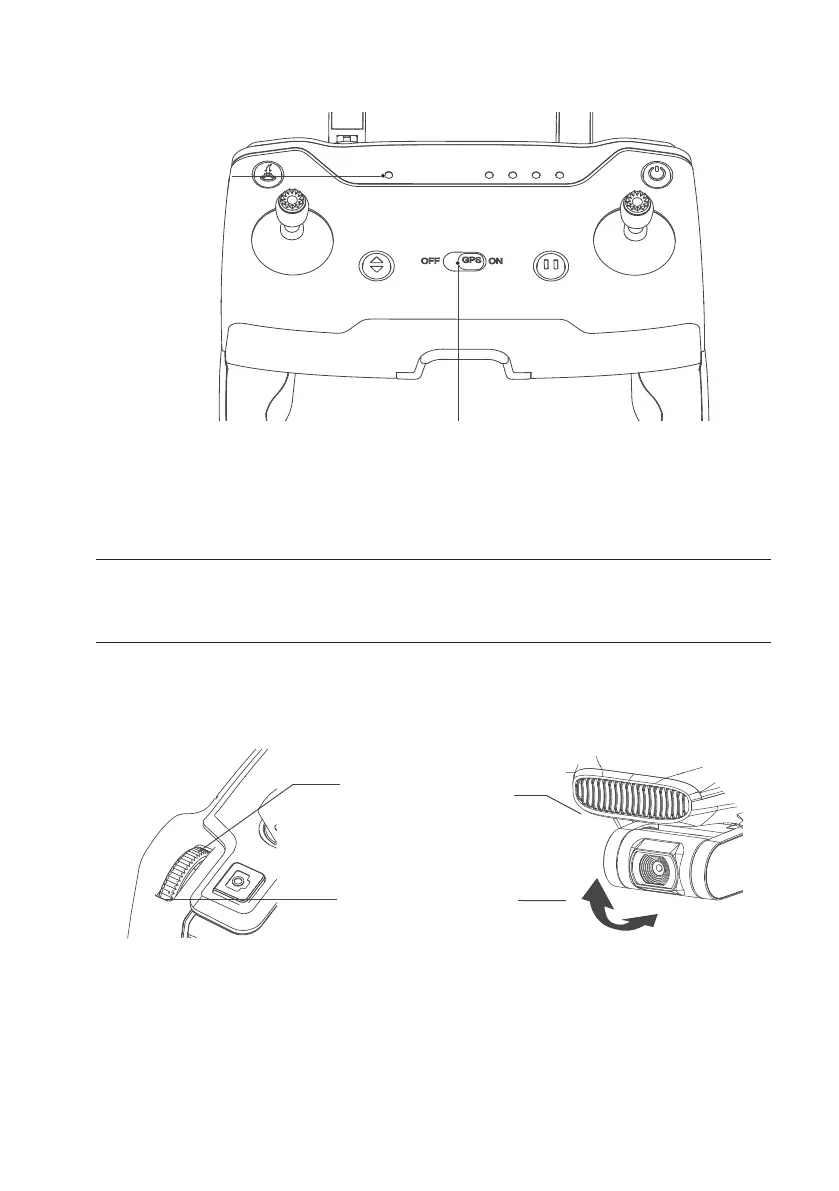
Flight
mode
indicator
Flight mode switch
Flight Mode Switch Button
Dial the “ON/OFF” button to switch the ight mode of the drone. The ight mode indicator light, indicates the current
mode.
Indicator Light
Solid Green Light GPS mode
Solid Red Light Attitude Mode
Gimbal Adjustment
The shooting angle of the camera can be adjusted for better aerial photography experience. As shown in the gure
below, dial the pulley in the upper left corner of the remote control to control the camera pitch angle.
Slide the control slider to the
left, The camera rotates down
Slide the control slider to the
right, The camera rotates up


 To Next Page