67
Photo / Video
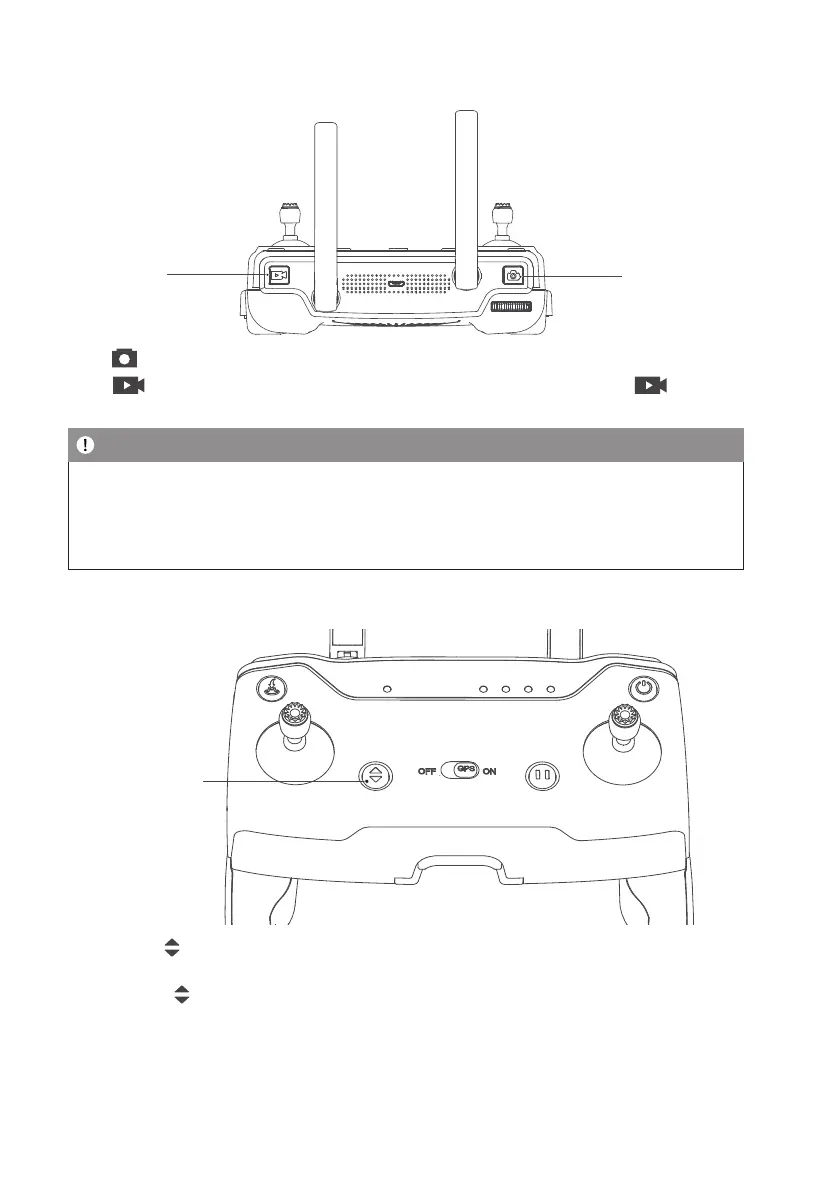
Taking Picture
Recording
Video
press ″
″, with ″Beep″ sound on RC, which means photo is taken successfully.
press ″
″ with ″B-B-″ sound on RC, which means video start to record successfully, press ″ ″ again, with
sound on RC, which means video stop to record successfully.
Note
• When the drone is not inserted with microSD card or the microSD card malfunctions, the photos and videos will
be stored on the mobile device, the quality of video les is relatively poor.
• Please stop recording before turn off, otherwise it will cause le damage.
• Pictures can not be taken when it’s recording.
One-Key Takeoff / Landing
One-key
Takeoff/ Landing
Long press the ″
″ button for 2 to 3 seconds. When the remote controller beeps steadily, the drone will automatically
take off and ascend to the altitude of 1.2 meters and hover.
Long press the ″
″ button for 2 to 3 seconds. When the remote controller beeps steadily, the drone will land
vertically.


 To Next Page