83
Waypoint
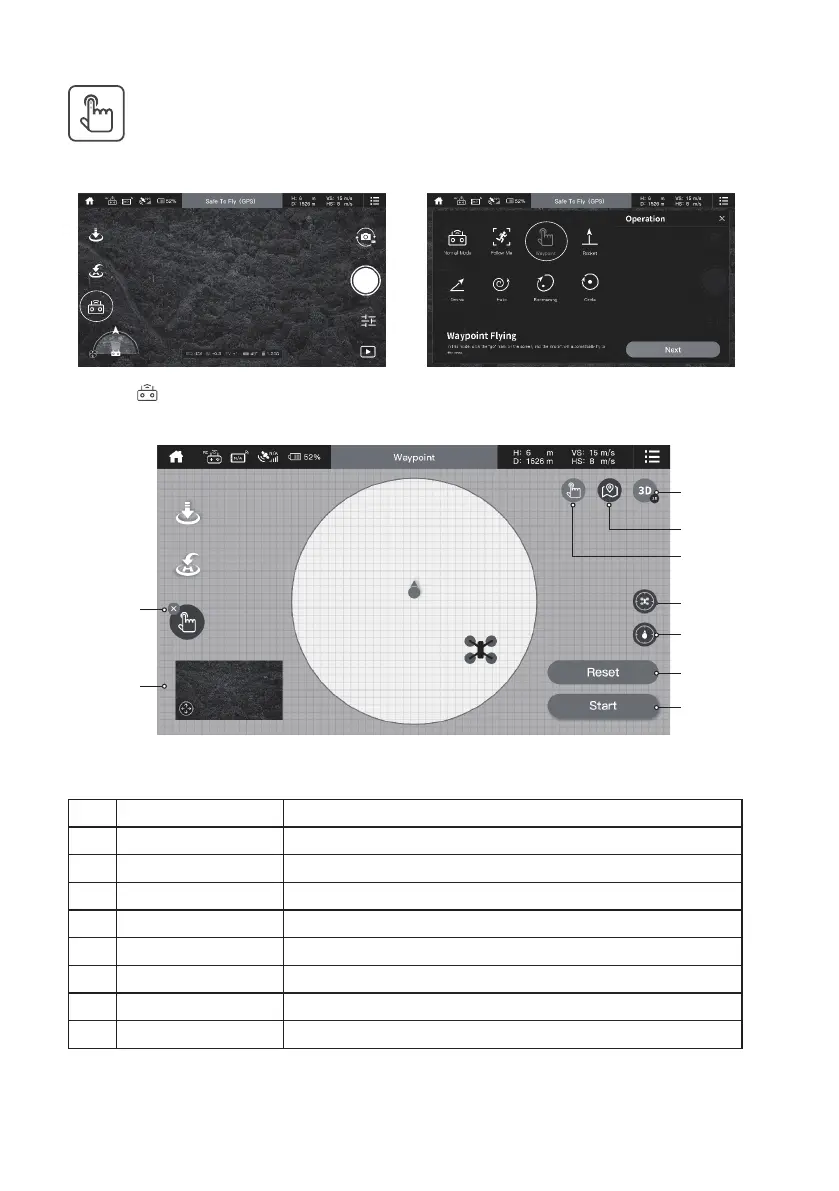
In this mode, user can choose″ight point″ or ″ight route″ to plan the ight.
1. Click ″ ″
2. Click ″Waypoint mode″
a
b
c
d
e
f
g
h
i
Button Description
a Mode Switch choose another mode or close waypoint.
b View Switch Map view/FPV switch.
c 3D/2D Switch 3D/2D switch.
d Flight Route Setting route to plan ight.
e Flight Point Setting point to plan ight.
f Location Of Aircraft Show the location of aircraft.
g Location Of Phone Show the location of phone.
h Re-Set Re-set the point or route.
i Start/Stop Switch Start to stop the waypoint.


 To Next Page