85
[Flight point]
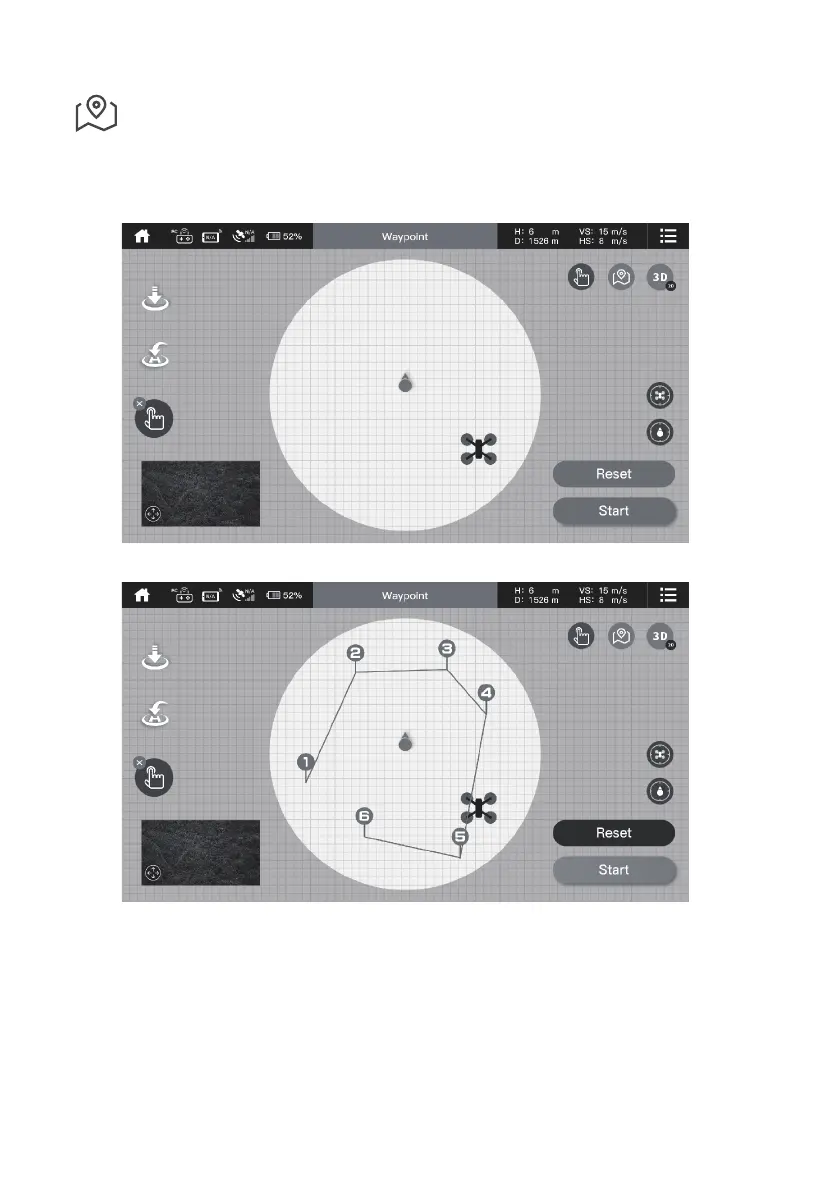
1. Within the circle (radius 100m) in the current map, set the points according to the demand of aerial plan.
2. Click Start to execute the ight point.
3. During the ight, if click Stop, the ight point is temporarily turned off, the aircraft will hover at the current position.
Using nger to draw the points.
Click start to execute the ight point.


 To Next Page