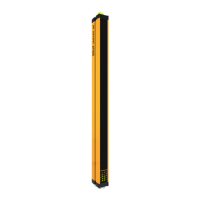
What to do if Reer Security Sensors system stoppage?
- MmoracharlesAug 8, 2025
If the Reer Security Sensors system stops, switch it off and on again. This helps determine if temporary electromagnetic disturbances caused the issue.

What to do if Reer Security Sensors system stoppage?
If the Reer Security Sensors system stops, switch it off and on again. This helps determine if temporary electromagnetic disturbances caused the issue.
How to fix Reer Security Sensors emitter and receiver misalignment?
To address emitter and receiver misalignment in Reer Security Sensors, verify that they are correctly aligned and that the front surfaces are perfectly clean.
What to do if malfunction persists after a stoppage in Reer Security Sensors?
If the Reer Security Sensors malfunction continues after a stoppage, make sure the electrical connections are correct and undamaged, and that the supply voltage levels comply with the technical data.
How to resolve power supply disturbance in Reer Security Sensors?
To resolve a power supply disturbance with Reer Security Sensors, keep the light curtain's power supply separate from other electrical equipment like electric motors, inverters, frequency variators, or other disturbance sources.
How to fix RED 2 consecutive flashes on Reer Security Sensors?
To address RED 2 consecutive flashes on Reer Security Sensors, check connections of pins 2 & 4.
| Power Supply | 24 V DC ± 20 % |
|---|---|
| Connection Type | M12 connector |
| Resolution | 14 mm |
| Safety Category | Type 4 according to EN 61496-1 |
| Protection Degree | IP65 |
| Output | 2 safety outputs (OSSDs) |
| Operating Temperature | -10°C to +55°C |
Covers safety standards, food industry considerations, and device limitations.
Illustrates proper placement of Emitter and Receiver to prevent access without beam interruption.
Provides formulas and parameters for calculating the minimum safety distance (S).
Guides on physical mounting and optical alignment using indicator LEDs.
Explains vertical placement and safety distance formulas for different resolution models.
Highlights critical warnings about power supply, connections, and cable routing.
Explains how to configure Automatic or Manual modes using receiver pins.
Details the characteristics and requirements of automatic and manual operating modes.
Describes how to use the TEST function for system verification and fault detection.
Lists critical technical data like resolution, range, response time, power, and safety levels.
Specifies adherence to safety standards like SIL 3, SILCL 3, and PL e.
Details a procedure for regularly checking the light curtain's operational efficiency.
Lists LED fault codes on Emitter/Receiver and their corresponding remedies.
Declares compliance with safety standards (Type 4, SIL, PL) and EU directives.
Loading...