EasyManua.ls Logo

Reer JANUS - User Manual

Reer JANUS
48 pages
Print Icon
To Next Page IconTo Next Page
Loading...
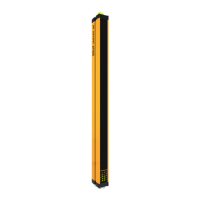
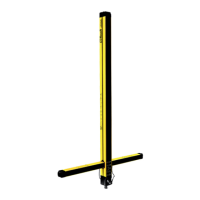
TYPE 4 SAFETY LIGHT CURTAIN
JANUS
I
I
N
N
S
S
T
T
A
A
L
L
L
L
A
A
Z
Z
I
I
O
O
N
N
E
E
,
,
U
U
S
S
O
O
E
E
M
M
A
A
N
N
U
U
T
T
E
E
N
N
Z
Z
I
I
O
O
N
N
E
E
I
I
N
N
S
S
T
T
A
A
L
L
L
L
A
A
T
T
I
I
O
O
N
N
,
,
U
U
S
S
E
E
A
A
N
N
D
D
M
M
A
A
I
I
N
N
T
T
E
E
N
N
A
A
N
N
C
C
E
E
I
I
N
N
S
S
T
T
A
A
L
L
L
L
A
A
T
T
I
I
O
O
N
N
,
,
U
U
T
T
I
I
L
L
I
I
S
S
A
A
T
T
I
I
O
O
N
N
E
E
T
T
M
M
A
A
I
I
N
N
T
T
E
E
N
N
A
A
N
N
C
C
E
E
I
I
N
N
S
S
T
T
A
A
L
L
L
L
A
A
T
T
I
I
O
O
N
N
,
,
B
B
E
E
D
D
I
I
E
E
N
N
U
U
N
N
G
G
U
U
N
N
D
D
W
W
A
A
R
R
T
T
U
U
N
N
G
G
I
I
N
N
S
S
T
T
A
A
L
L
A
A
C
C
I
I
Ó
Ó
N
N
,
,
U
U
S
S
O
O
Y
Y
M
M
A
A
N
N
T
T
E
E
N
N
I
I
M
M
I
I
E
E
N
N
T
T
O
O
www.reer.it

Table of Contents

Other manuals for Reer JANUS

Questions and Answers

  • C
    Cynthia Mosley DVMAug 20, 2025
    What to do if muting light is not present or fault in Reer JANUS?
    • K
      Kathy SchmidtAug 20, 2025
      If the muting light is not present or faulty on your Reer Security Sensors, verify that the MUTING lamp is present and working efficiently.
  • S
    Sandra BoydAug 21, 2025
    What to do if Reer Security Sensors detect interfering emitter?
    • K
      Kathy GillespieAug 22, 2025
      If your Reer Security Sensors detect an interfering emitter, try these steps: * Switch the positions of the emitter and receiver. * Move the interfering emitter so it doesn't illuminate the receiver. * Shield the beams from the interfering emitter using opaque protections.
  • S
    Susan VillaAug 23, 2025
    What to do if there is an overload of the OSSD outputs in Reer JANUS?
    • A
      Andrew HernandezAug 23, 2025
      If the OSSD outputs of your Reer Security Sensors are overloaded, carefully check the connection of terminals 2 and 3 on the connector. If necessary, adjust the load, reducing the current required to a maximum of 500 mA (2.2 ?F).
  • P
    Peter MillerAug 26, 2025
    What to do if OSSD outputs incorrectly connected to +24VDC in Reer JANUS?
    • S
      Sarah KempAug 26, 2025
      If the OSSD outputs of your Reer Security Sensors are incorrectly connected to +24VDC, carefully check the connection of terminals 2 and 3 (OSSD) on the connector. Ensure the load is positioned between the MUTING function (OSSD) and 0 Vdc.
  • R
    Robert WilliamsAug 28, 2025
    What to do if there are unstable muting sensors signals in Reer JANUS?
    • C
      Catherine RodriguezAug 28, 2025
      If your Reer Security Sensors have unstable muting sensor signals, check the positioning of the muting sensors and verify the number of sensors connected, as well as the selected configuration.
  • H
    Holly SmithAug 29, 2025
    What to do if there is a short-circuit between the OSSD outputs in Reer JANUS Security Sensors?
    • A
      Adam WilsonAug 30, 2025
      If there is a short-circuit between the OSSD outputs in your Reer Security Sensors, carefully check the connection of terminals 2 and 3.
  • J
    Jason SmithSep 1, 2025
    What to do if there is an incorrect "SYSTEM STATUS" or overload signal connection in Reer Security Sensors?
    • A
      Alan ThompsonSep 1, 2025
      If you encounter an incorrect 'SYSTEM STATUS' or overload signal connection with your Reer Security Sensors, check the connection of terminal 4.
  • N
    Nancy SimmonsSep 3, 2025
    What to do if there is an incorrect initial OVERRIDE configuration in Reer JANUS Security Sensors?
    • J
      Joseph AguirreSep 3, 2025
      If you have an incorrect initial OVERRIDE configuration for your Reer Security Sensors, check the connections of terminals 16 and 17.
  • A
    Anthony AdamsSep 5, 2025
    What to do if there is an internal error on the OSSD outputs (or incorrect connection of these) in Reer JANUS?
    • C
      Charles HansenSep 5, 2025
      If you are experiencing an internal error on the OSSD outputs (or incorrect connection of these) with your Reer Security Sensors, carefully check the connection of terminals 2 and 3 (OSSD) on the connector. These terminals could be connected directly to + 24 Vdc or 0 Vdc. Otherwise, send the equipment for repair to the REER laboratories.
  • M
    Morgan BryanSep 7, 2025
    What to do if external contact enabling/disabling signal missing or contactors feedback missing in Reer Security Sensors?
    • K
      Kimberly KelleySep 7, 2025
      If the external contact enabling/disabling signal is missing or contactors feedback is missing in your Reer Security Sensors, check the connections of terminals 11 and 18.

Summary

INTRODUCTION

Safety Warnings

Important safety warnings for personnel operating the safety system.

Application Areas

Lists various industrial applications where the safety system is utilized.

PRINCIPLE OF OPERATION

Light Curtain Resolution

Defines resolution and the factors affecting detection capabilities.

Available Resolutions

Details the different resolution options available for the safety system.

MUTING FUNCTION

Muting Function Purpose

Explains the temporary suspension of safety function for material transit.

ML Series Muting Operation

Describes muting for one-way openings using the ML series.

MT Series Muting Operation

Describes muting for two-way openings using the MT series.

INSTALLATION

General Installation Precautions

Key checks and considerations before installing the safety system.

Safety Distance Calculation

Formula and factors for ensuring minimum safe distances.

LIGHT SIGNALS

Emitter Signals

Description of LED indicators and their meaning on the emitter unit.

RECEIVER SIGNALS

Normal Functioning Indicators

Explanation of LED and display status for normal operation and configuration.

ELECTRICAL CONNECTIONS

Emitter Connector Details

Pin assignment, color coding, and wiring for the emitter connector.

Receiver Connector Details

Pin assignment, color coding, and wiring for the main receiver connector.

CONFIGURATION AND OPERATING MODES

Manual;Automatic Mode Selection

How to configure operating modes via receiver connection inputs.

Muting Duration and Type Selection

Configuration options for muting timeouts and types using receiver pins.

SELECTION OF THE MAXIMUM DURATION AND TYPE OF MUTING

Override Configuration

Settings for override function, including selection of control methods.

SYSTEM STATUS OUTPUT (“M” MODELS)

Test Function Usage

Procedure for using the test function to verify system operation.

EXAMPLE OF CONNECTION WITH EXTERNAL CONTACTORS K1;K2 WITH START;RESTART INTERLOCK ACTIVATED

EXAMPLE OF CONNECTION WITH AD SRO WITH START;RESTART INTERLOCK ACTIVATED

CONFIGURATION AND OPERATION MODES J LR M12

Automatic Mode J LR M12

Configuration for automatic operation of the J LR M12 model.

Manual Mode J LR M12

Configuration for manual operation of the J LR M12 model.

DIMENSIONS

J Models Dimensions

Physical dimensions for the JANUS J series models.

MI Models Dimensions

Physical dimensions for the JANUS MI series models.

TECHNICAL DATA

General Data Specifications

Overall technical specifications applicable to the JANUS system.

MI Series Technical Data

Specific technical data for the JANUS MI series models.

CHECKOUTS AND MAINTENANCE

Barrier Efficiency Verification

Procedure for checking the correct operation and efficiency of the barrier.

Cleaning and Maintenance

Guidelines for cleaning the device optics and recommended maintenance.

TROUBLESHOOTING

Emitter Fault Diagnosis and Remedy

Identification of emitter faults and recommended solutions.

Receiver Fault Diagnosis and Remedy

Identification of receiver faults and recommended solutions.

ACCESSORIES

Muting Junction Boxes

List and codes for available muting junction box accessories.

Cable and Connector Accessories

List and codes for various cables and connector accessories.

GUARANTEE

Guarantee Terms and Conditions

Details the terms, conditions, and exclusions for product warranty.

Reer JANUS Specifications

General IconGeneral
Supply voltage24 V DC
Housing materialAluminum
Operating temperature-10°C to +55°C
Protection classIP65
Resolution14 mm, 30 mm
OutputPNP, OSSD
Number of BeamsVaries depending on protection height and resolution
StandardsEN 61496-1, EN 62061, EN ISO 13849-1, IEC 61496-1, IEC 61496-2
Safety levelType 4 according to EN 61496-1, SIL 3 according to EN 61508, SILCL 3 according to EN 62061, Performance Level e according to EN ISO 13849-1

Related product manuals