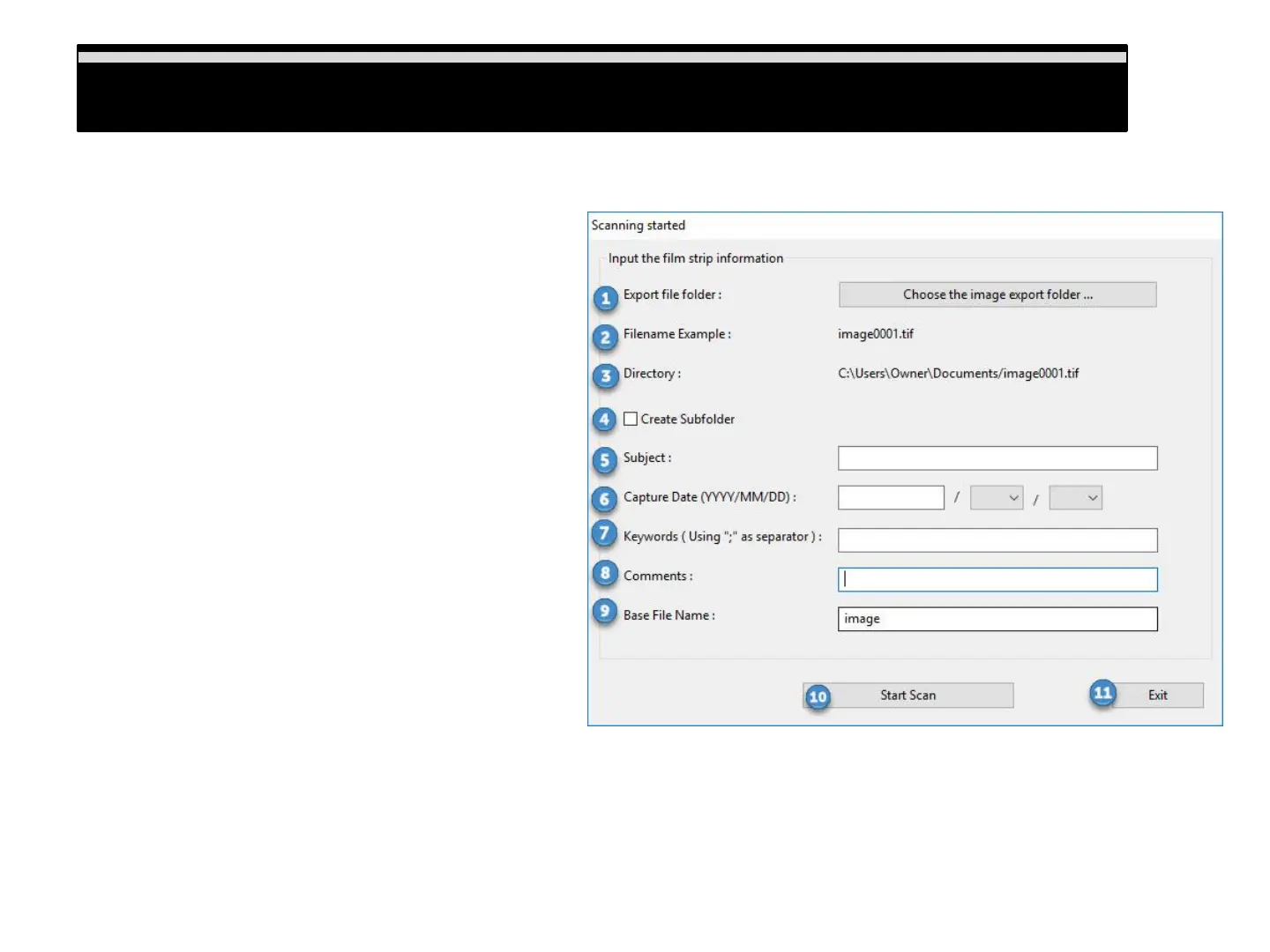
Scan Settings defined (Scanning started window)
1) Export file folder: Choose where to save the
scanned files to
2) Filename example: Will show your filename and
number
3) Directory: Display where the files are saving to
4) Create Subfolder: When checked you generate a
sub-folder automatically with the days date
5) Subject: Lets you apply subjects to the saved files
6) Capture date: Lets you apply the date the image
was taken
7) Keywords: “Tags” enter keywords t help identify
the images
8) Comments: Add comments when scanning in JPG
format
9) Base File Name: This filename is used for every
scan and it adds a number to it automatically
example shown beside #2 above
10) Start Scan: Starts the scanning process
11) Exit: This closes the scan settings window
Scan Settings defined
13















 To Next Page