Loading Filmstrips
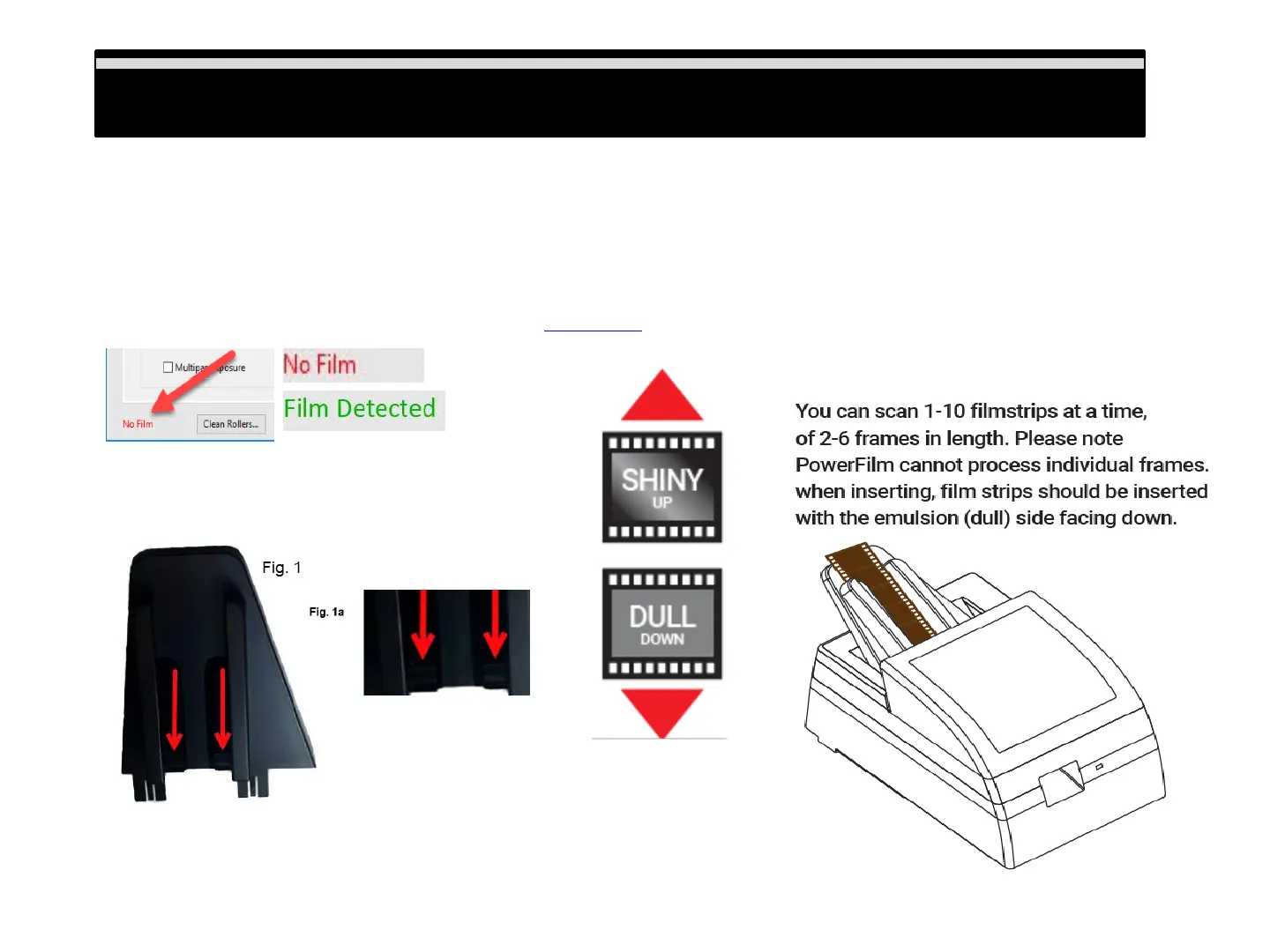
Insert filmstrips with the emulsion (DULL) side down (SHINY side up), when inserting strips you may need to lift
the cover to be certain your film strips are being placed properly under the guides on the film feed holder (Fig.1
& 1a.), these guides aid in the negatives feeding properly into the scanner. When inserting a strips of 4 frames
they need to be inserted as far in as the line shown in (Fig. 2) to be accepted by the scanner for scanning, if
not inserted fully it cannot grab the film and begin scanning. 6 frame strips will stick out above the holder, the
software acknowledges proper insertion on the lower left of the main UI for directions on how to loading
capacity and configuring scan settings please Click Here:
Loading Filmstrips
Fig. 2
9















 To Next Page