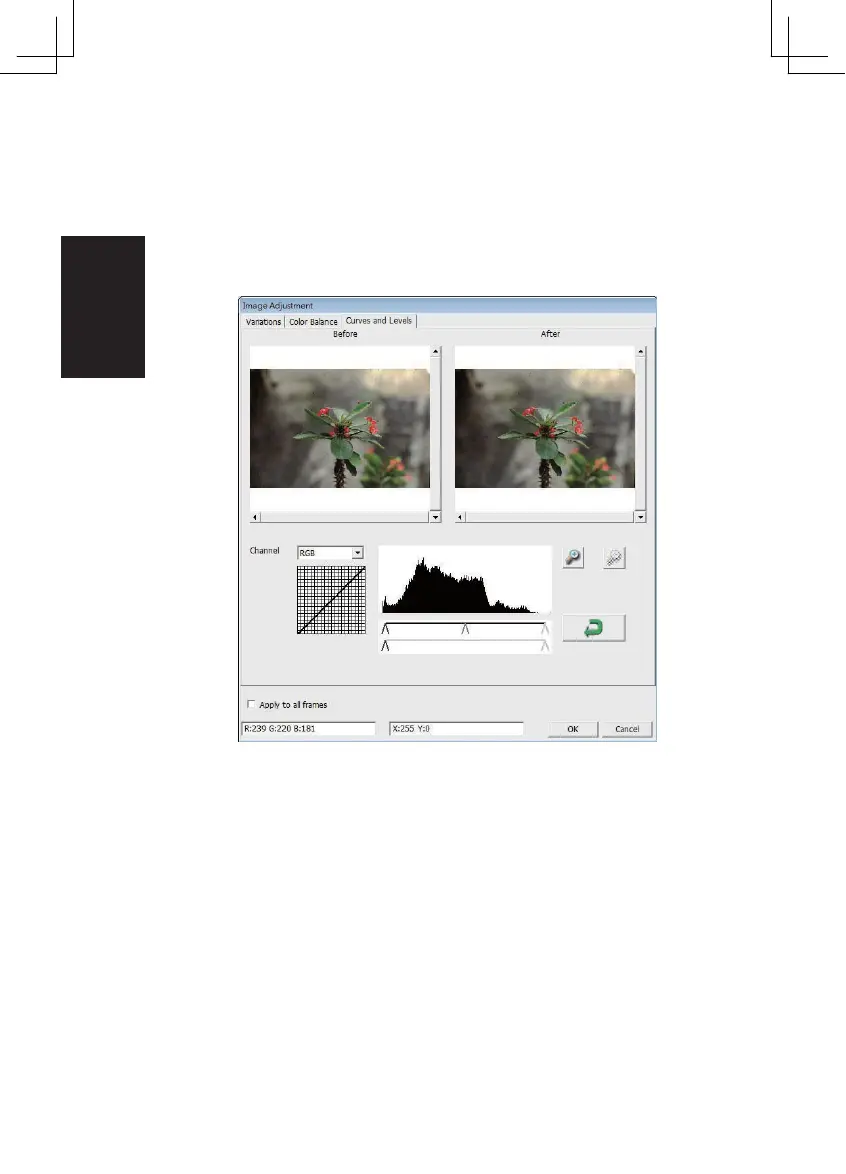
3. Cur ves and Levels
Adjust image settings by moving Cur ve and Levels settings.
Comparison between before and after adjustment is displayed for
reference.
Example: When the previewed image appears to be too dark, adjustments with the Input
slider in the Curves and Levels window can be made to correct the image. Selecting the Gray
slider in the center and moving it to the left will result in changes in the “After ” view resulting
in a lighter image. Once the adjusted image is acceptable select “OK” to send changes to the
scanning hardware. The same method can also be used to adjust each color channel
independently
, using the
channel drop down menu “RGB = All colors” R = Red, G = Green,
and B = Blue.
26















 To Next Page