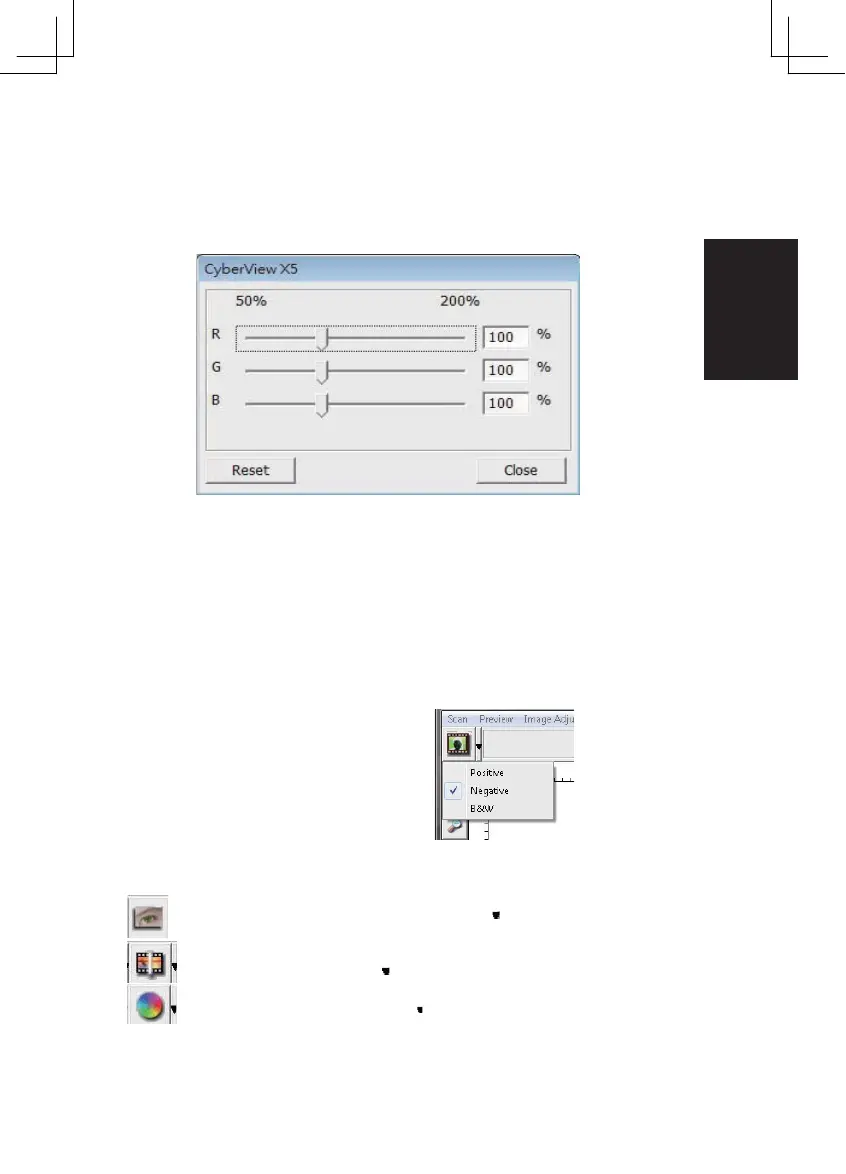
Menu Commands - Windows
1. Exposure Setting: To adjust the exposure time (R, G, B) press ”Reset” to restore to
the default setting.
Menu Commands - Help
• Update: Firmware: Upgrade the firmware version, select the path where the file of
firmware has been saved. (These files may be downloaded from our website)
• About: Displays system information (including operation system, CPU), product
information (including product name, model name, hardware version, firmware ver-
sion, software version, device information including inter face and optical resolution).
Function Bar Diagram
Please select your film type
and brand from the toolbar:
Negative Positive
(also known as
Slide) Black and
White
II. Preview Window Area [Fixed Windows]
Prescan: Pre -scan the current film, press drop down for more options.
Scan: Scan film, press drop down button for more options.
Image Adjustment: Press drop down button for more options.
27















 To Next Page