Installing Hardware
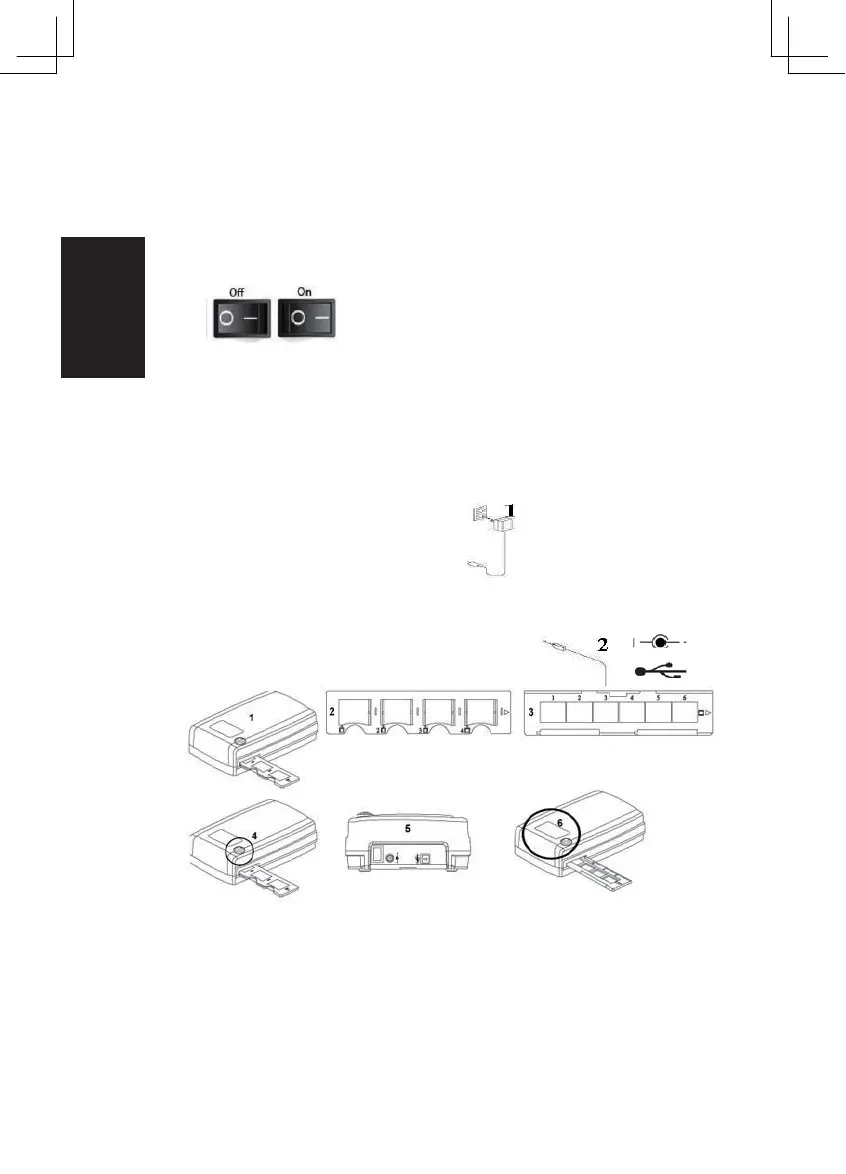
a. Connect the slide scanner to a power source.
1. Locate the power switch on the lower left side of the scanner. Make
sure the scanner is TURNED OFF.
2. Plug the AC adapter into an AC power source
FIRST before plugging it into the scanner.
3. Attach the USB cable to the computer using the standard USB
adapter end. Attach the USB adapter end of the cable to back panel
of the scanner.
Additional features
.
ProScan10T
1. Scanner
2. Slide holder
3. Film Holder
4. One Button Scan
5. Back of the unit
6. Viewing Window
1. DC In
2. USB Por t
3. Power Switch
8















 To Next Page