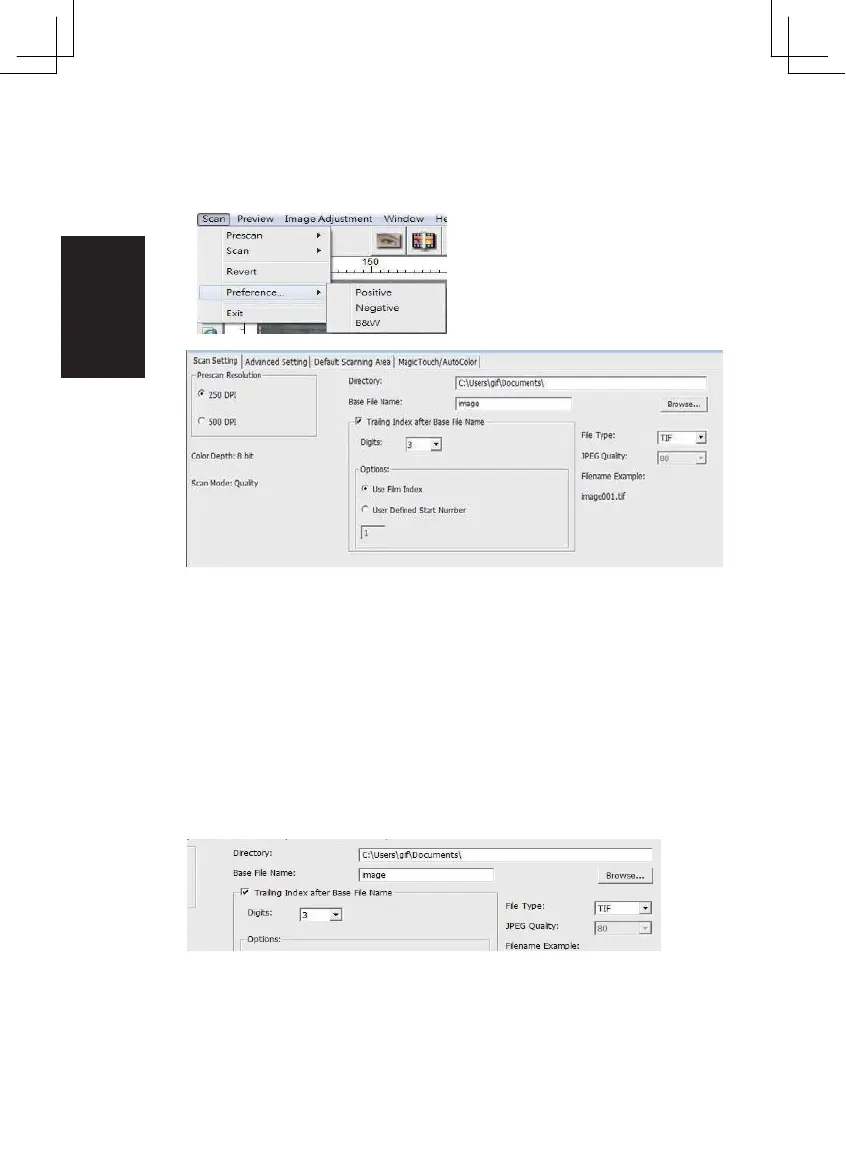
STEP 5 – Set Scan Preferences
Select Scan - Preference - Film Type - Scan Setting
“Prescan Resolution“ - Default pre-scan resolution.
“Color Depth“ – Default color depth while scanning.
“Scan Mode“ – Default scan mode while scanning.
Configuring Scan Preferences
1. Select Browse and choose the designated folder to save the scanned
image to
2. Enter the file name.
14















 To Next Page