Set Scan Preferences (Continued...)
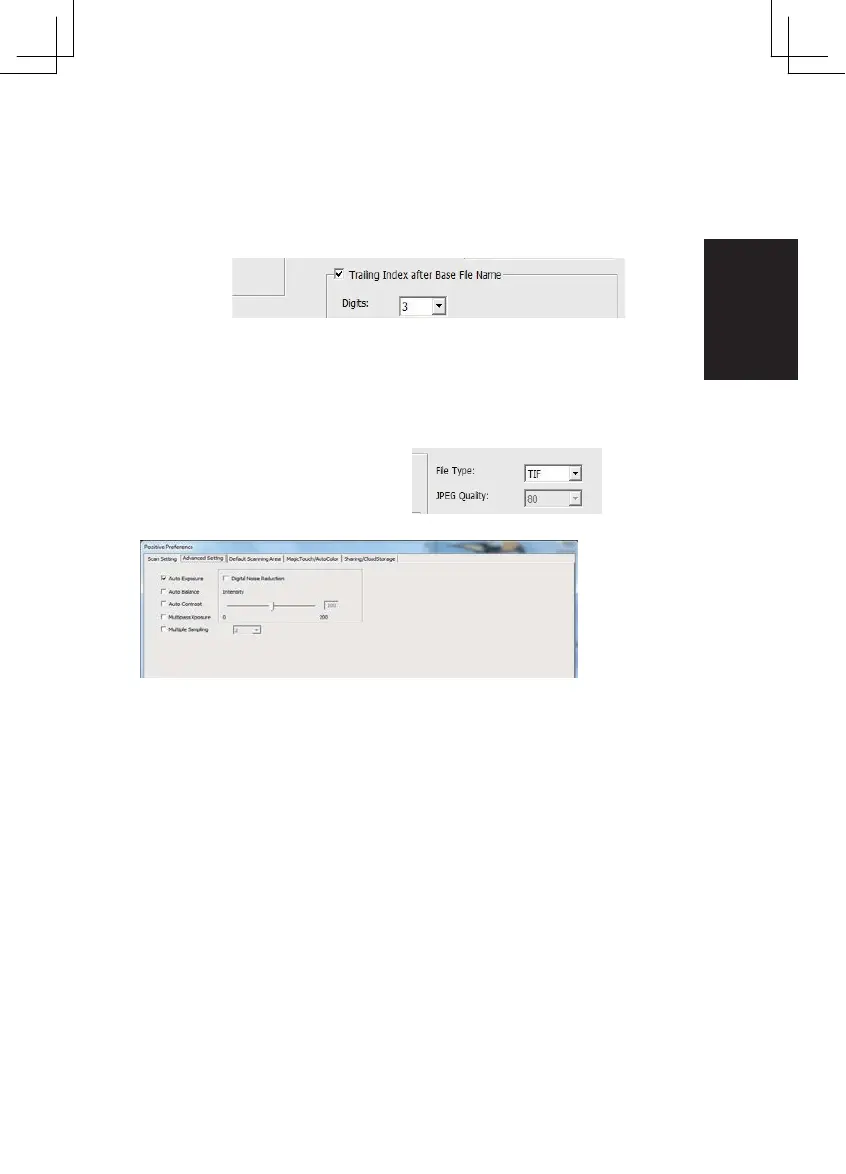
3. Trailing Index after Base File Name Digits: Defines the length of the
file name and numbering sequence up to 6 digits Example image1 or
image000001.
4. Options - Use Film Index: Use the number assigned to the slide based on it’s
position in the car tridge.
User Defined Start Number: Enter a specific star t number
5. Choose the file type , “TIF” or “JPG”. ( TIF uncompressed or JPG Compressed-
Choose image quality for JPEG. (20-100) 100 offers the least amount of compres-
sion
Advanced Setting
”Auto Exposure” - Attempts to find the correct exposure to get the wid-
est range of whites and blacks while putting the middle grays at around
the middle of the data range.
”Auto Balance” - Using the image histogram to balance RGB channels. It
estimates images’ color cast and adjust the images accordingly
“Auto Contrast” - The scanner software analyzes the data and automati-
cally adjusts the Setting for the White and Black Points.
”Digital Noise Reduction” – Applies a filter, Reducing the film grain.
“Multipass Xposure”-
When enabled Multi-Exposure performs
a
triple scan
to
obtain
the best
possible image,
This
process captures
the
three individual scans,
first a
normal pass
then
two more
scans
to
highlight
the
shadow details
to
expose
the
darker areas more
fully,
The
software
then
intuitively calculates
the final
scan, which
now
contains
the data from
all
three scans.
“Multiple Sampling”-
Configure
the
settings
to
scan
a
single image (multiple times)
2x, 4x, 8x or 16x
for
the
highest quality output. Please
note this
greatly increases scan time.
With
Multi-
Sampling image noise
is a
thing
of the
past.
15















 To Next Page