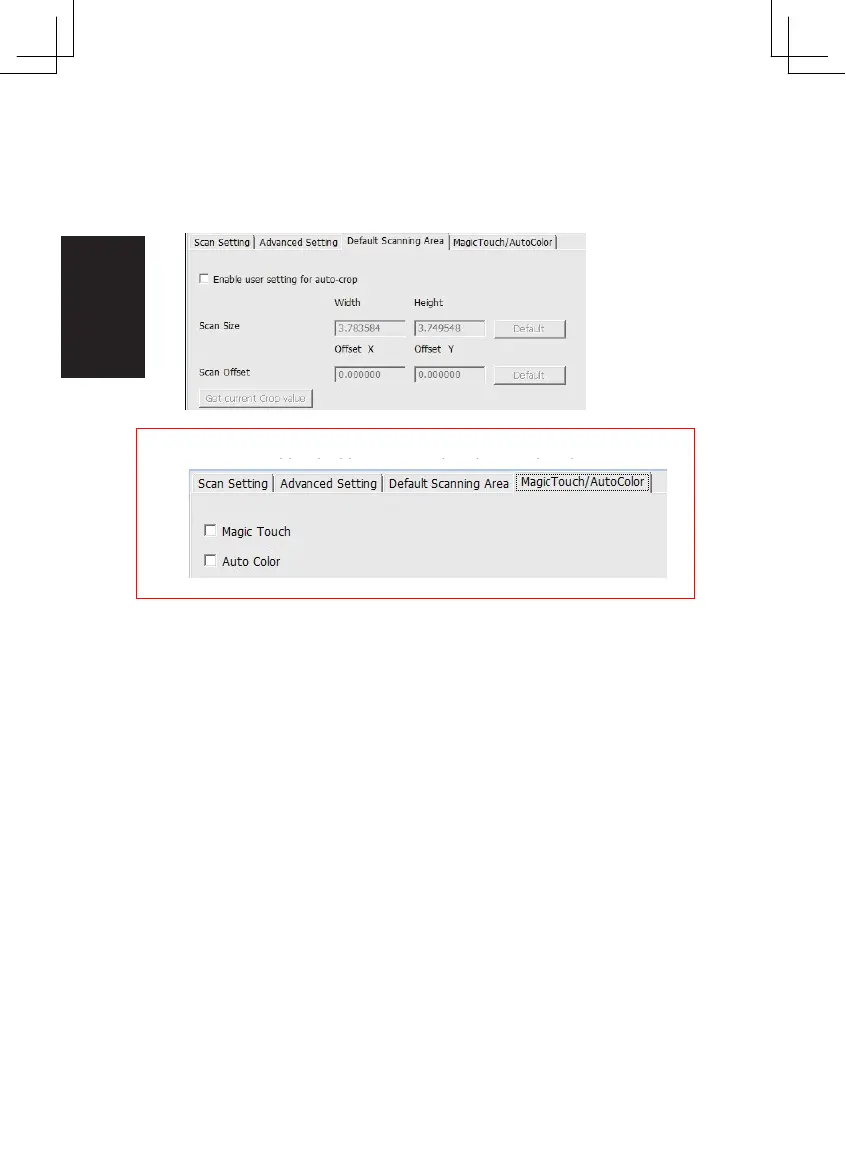
Enable / disable Magic Touch and Auto Color adjustment to scans
Default Scanning Area
Adjust the scanning size as well as adjust the “Scan
Offset”
setting to move
the image position of slide.
Magic Touch / Auto Color
.
Magic Touch is a power ful dust and scratch removal technology that does away
with the hassle of learning complex and tedious software techniques. Being
hardware-based, it works seamlessly with the scanning process to ensure the
best possible results when bringing images into the computer. Dust, scratches
and other flaws are intelligently detected and eliminated, restoring the image to
its original beauty. Magic Touch doesn´t work with Kodachrome Film and B&W
Film, you have to deactivate it.
Scanning with Magic Touch requires longer scanning times, the feature is turned
off by default.
Auto Color takes the guesswork out of the scanning process to
streamline the workflow and achieve the best results. Proprietar y color
enhancement technology is applied to scanned images to provide the
most accurate color adjustment, resulting in vibrant images with
optimal brightness, contrast and saturation.
16















 To Next Page