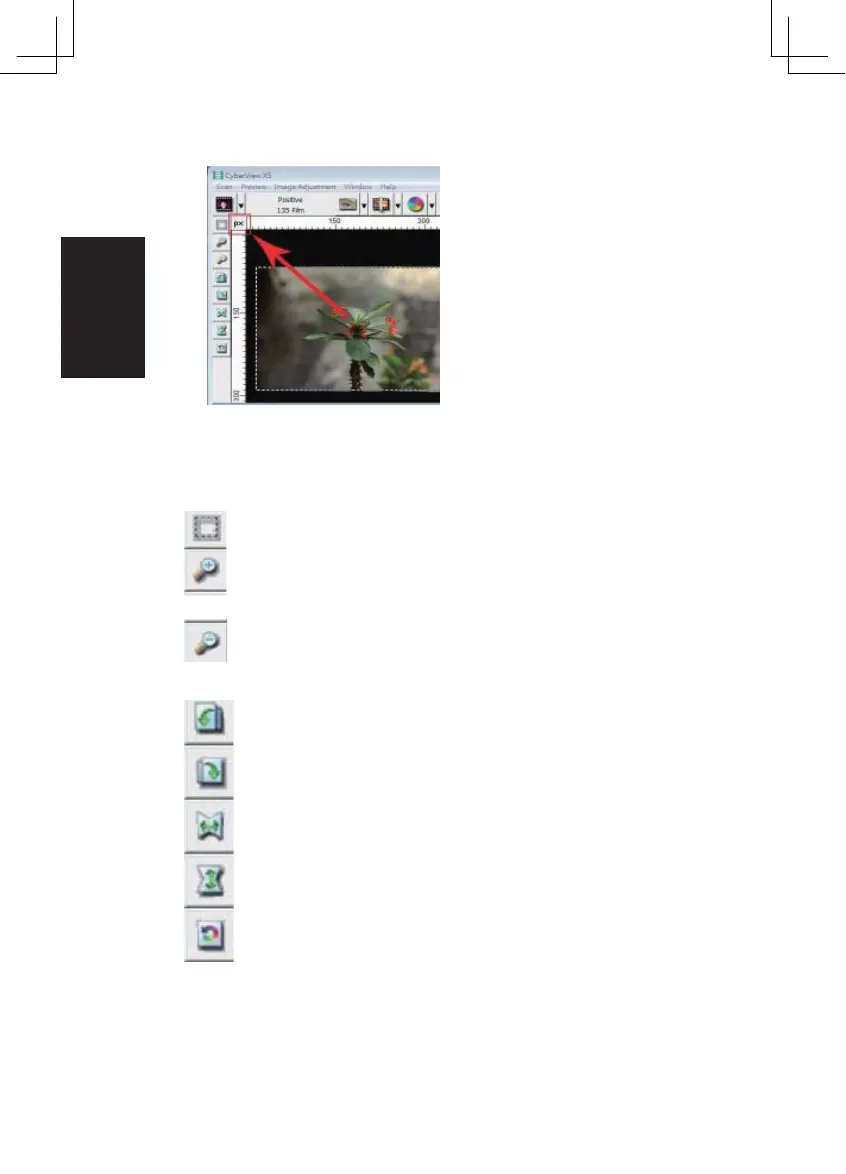
Preview the image you pre-scan, you can select the measurement unit “in“-“cm“-
“px“ by clicking the upper-left corner.
Toolbar Diagram
Select scan area: more than one selection can be made at a time.
Zoom In: To magnify the image where the cursor is currently located.
The image will be magnified with ever y click until the maximum multi-
ple (1000%) is reached.
Zoom Out: To reduce the size of the viewed image click the Zoom Out
cursor to the desired area, the image will reduce by half with ever y click
until the lowest multiple (25%) is reached.
Rotate 90 Left: To rotate the image counter clockwise 90 degrees.
Rotate 90 Right: To rotate the image clockwise 90 degrees.
Flip Horizontal: To Flip the image 180 degrees horizontally.
Flip Ver tical: To Flip the image 180 degrees ver tically.
Rever t: Discard all modifications and restores the image back to
the original state in preview windows.
28















 To Next Page