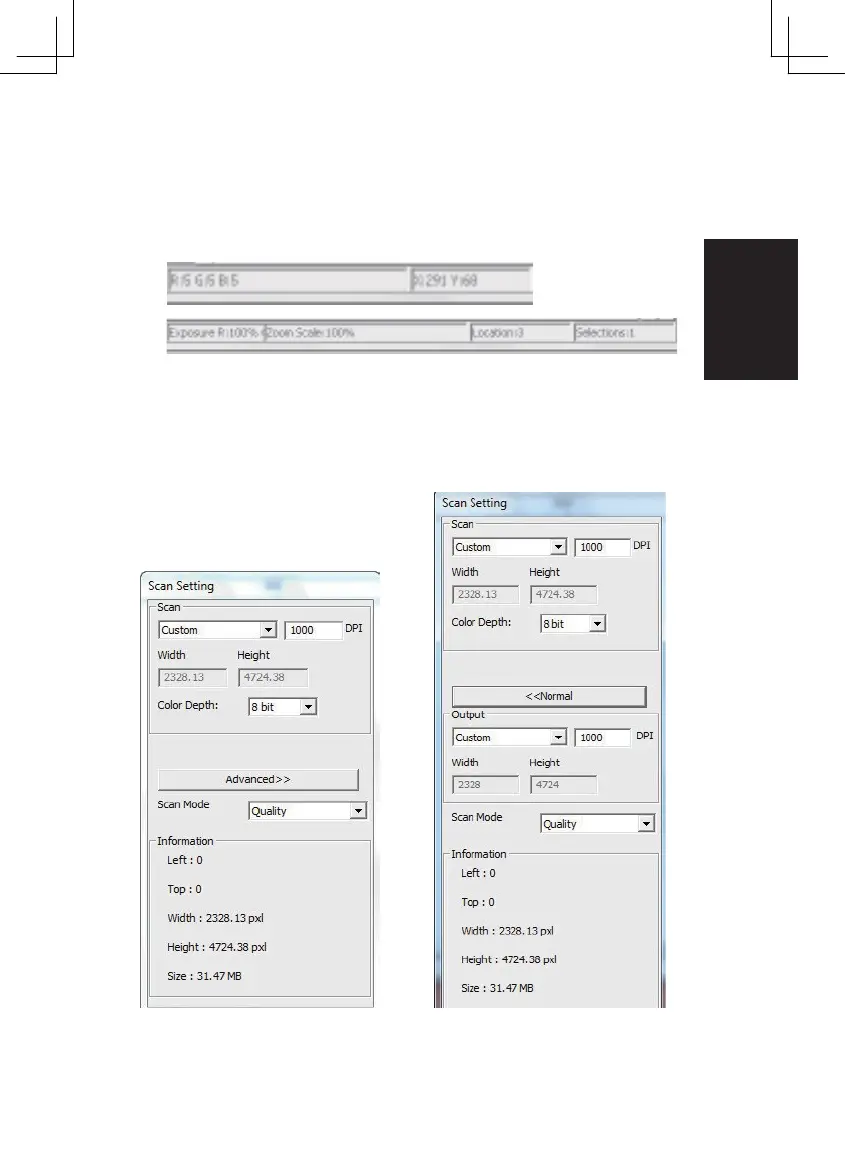
Status Line
In the lower left hand corner, the color level (RGB: red, green, blue) and
coordinates of the location [ex: I] are displayed. The zoom scale, the current slide
magazine location and how many areas selected to scan (2 or or higher indicates:
Multiple scan areas on one slide [ex: II].
I.
II.
III. Scan Setting Area [Floating Windows]
Normal mode [ex: I] to input the basic parameter to scan (including scan
resolution, film size, color depth).
Advanced mode [ex: II] to input the parameter of scan output, scan resolution,
and color depth
II.
I.
29















 To Next Page