24 25
English
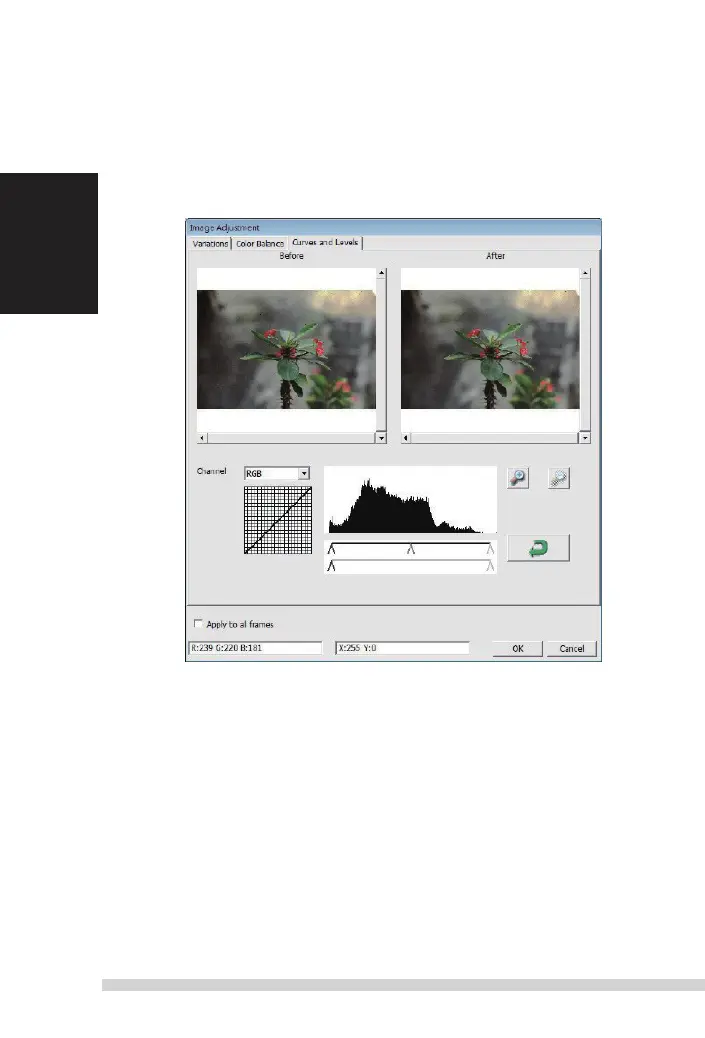
3. Curves and Levels
adjust
image settings by moving Curve and
l
evels settings.
Comparison between before and after adjustment is displayed for
reference.
Example: When the previewed image appears to be too dark, adjustments with the
i
nput
slider in the Curves and
l
evels window can be made to correct the image. selecting the
Gray slider in the center and moving it to the left will result in changes in the
“after ”
view
resulting in a lighter image. once the adjusted image is acceptble select “ok” to send
changes to the scanning hardware.
t
he same method can also be used to adjust each color
channel independently, using the channel drop down menu “
r
GB =
all colors”
r
=
r
ed, G =
Green, and B = Blue.
Manual-RPS10M.indd 24 23.12.2016 10:00:32















 To Next Page