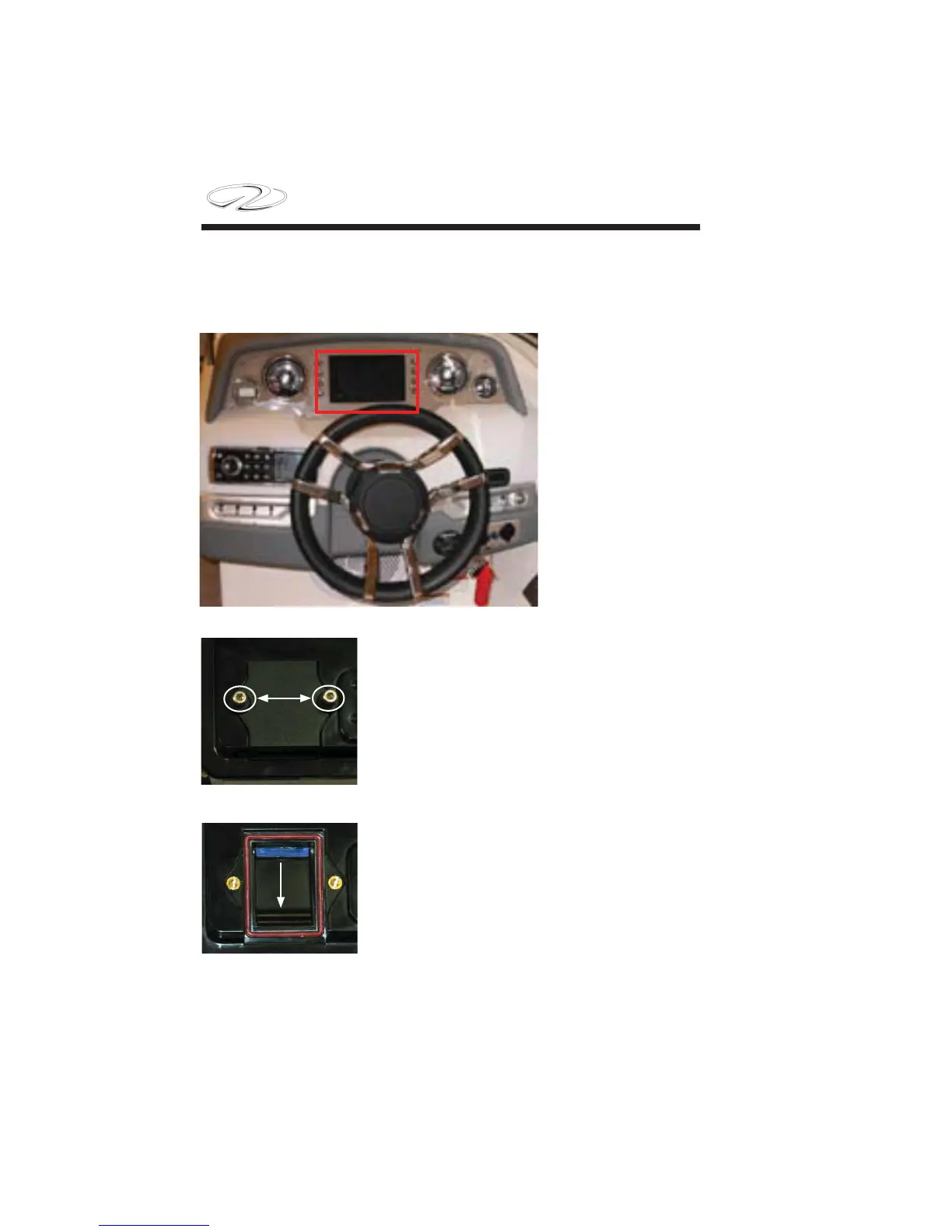
As an option Regal
Vue is installed as
shown. Each unit
is outfi tted with a
memory card with
predetermined geo-
graphical regions.
Should the opera-
tor want a differ-
ent memory card
access to the Regal
Vue panel is out-
lined below.
1. The battery switch should be turned to the
“off ” position before starting to work behind
the dash. At the rear of the Regal Vue display
(behind the dash) you will see a small com-
partment with 2 allen head type fasteners. Re-
move both fasteners with the panel cover to
access the memory card compartment.
2. Insert a fi ngernail or small slotted screw-
driver into the memory card end tab. Push up
to disengauge the card. Next, pull down on
the card to remove it from the card slot.
Chapter 6
INSTALLING/REMOVING MEMORY CARD
FASTENERS
6-22



 To Next Page