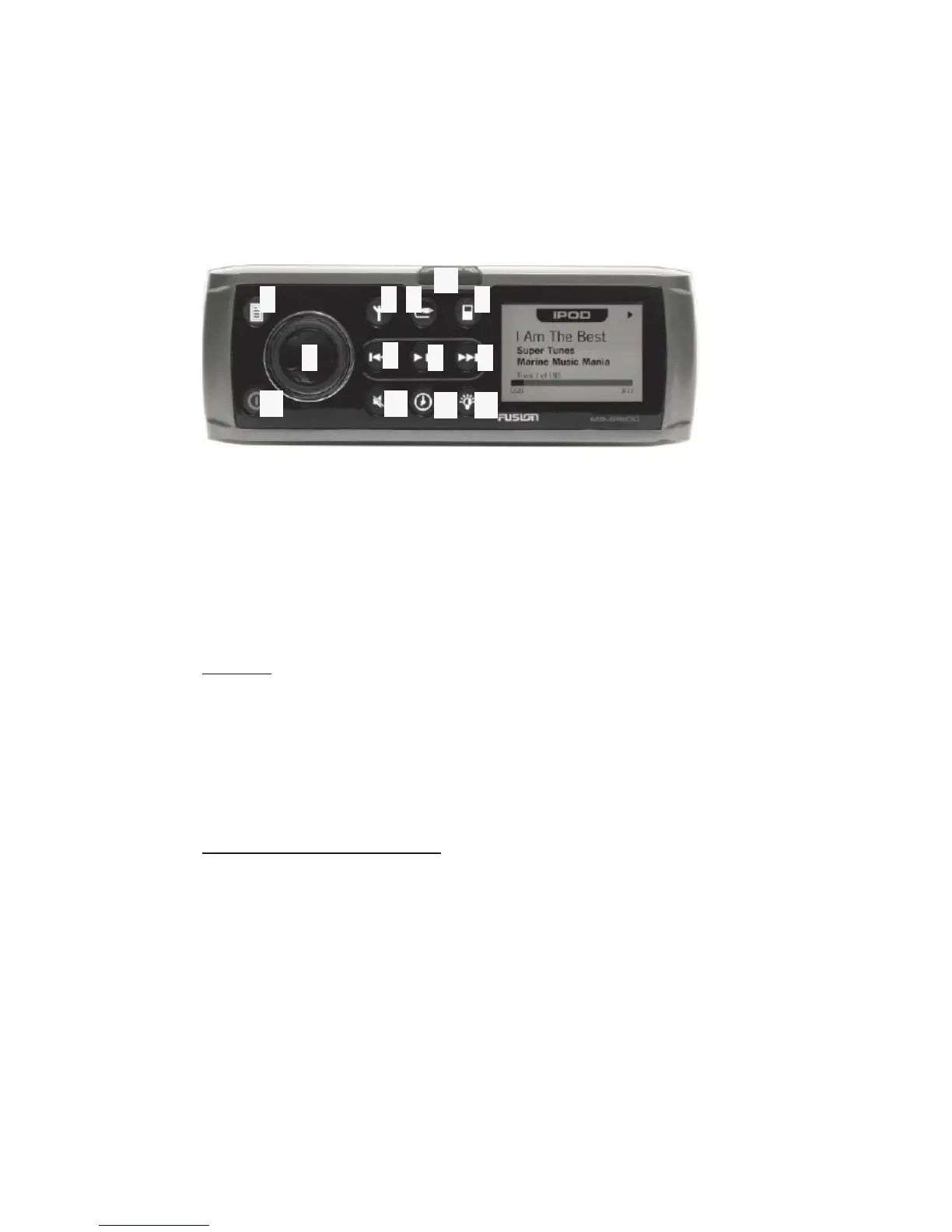
3
1
2 4 5
6
7
8 9
10 11
12 13
1) Catch/Release Button 8) Play/Pause Button
2) Menu Button 9) Forward/Next Button
3) Radio Button 10) Power Button
4) Auxiliary Button 11) Mute Button
5) iPotd Button 12) Clock Button
6) Rotary Encoder 13) Brightness Button
7) Back/Previous Button
POWER
To energize the stereo, fi rst ensure the unit is receiving power from the
ignition switch being turned on/run. Be sure not to drain the battery
from stereo use if the engines have not been started. Then press the
power button located in the lower left hand corner of the display. To
deactivate the unit, press the power button once more.
SELECTING THE SOURCE
Press on of the function buttons on the top row.
The radio button selects the radio source. Toggle this button to switch
between AM, FM, and Sirius Radio (sirius tuner not included)
6-26
Equipment Operation



 To Next Page