Installation, start up and operating manual – version 5.3 Gen.10
Radio control BRICK and PAIL
Check the proper working order of the red emergency stop
mushroom button, the switching on key and of the functions.
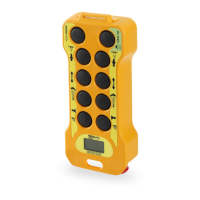
Press the red pushbutton (see Fig. 1) and check that the LINK led on the
receiver is off (see Fig. 6) indicating that the radio control unit has been
disactivated.
To resume the testing procedure reset the emergency pushbutton by
turning it approximately a ¼ of a turn until it makes a step, then press
the START button again on the transmitter unit.
Press a pushbutton or move a joystick of the machine assigned to a
manoeuvre and keeping it held down press the STOP pushbutton. The
machine must stop immediately. To continue reset the emergency stop
button.
Once again press a pushbutton or command joystick to carry out a
movement and keep it pressed while turning the key anticlockwise (to the
OFF position). The machine should stop within one second (due to no
radio signal).
After having reactivated the transmitter unit activate one pushbutton or
joystick at a time and check the machine is carrying out the manoeuvres
as indicated by the symbol at its side.
Move away from the receiver and while always watching the machine
carry out the manoeuvres in different work areas to ascertain the full
coverage of the signal.
At the end of testing clearly compile the receiver unit’s wiring diagram
and the Correct Instalment Declaration Certificate.
20
REMdevice
®
- ITALY


 To Next Page