20
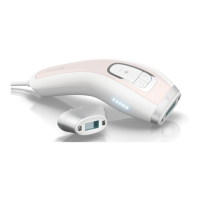
When using for the rst time, peel o the
sticker located over the Flash Button and
Skin Tone Tester.
Firmly press the Skin Tone Tester’s
ashing light against skin, directly on the
area you plan to treat. The reading will
take place automatically.
Note: Be sure to read the WARNINGS and
PRECAUTIONS related to use on darker
skin tones.
STEP 3:
CONDUCT A SKIN TONE TEST
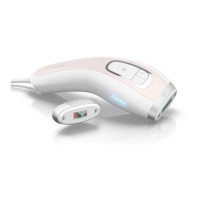
Each time you turn on the device, you will
be prompted to test your skin tone with
the Skin Tone Tester, located on the back
of the Hand Piece.
This Tester ashes orange until the unit is
unlocked as a reminder to test your skin.
For safety reasons, after 30 seconds of
inactivity, you will hear an audible beep
which will increase in frequency until the
test is taken or the device is turned o.
SKIN TONE TEST RESULTS
Unsuitable Skin Tone
If your skin tone is not suitable for use,
the device will make a low-pitched beep
sound, the Skin Tone Tester will turn
orange, and the device will remain locked
and cannot be used.
After 5 seconds, you may re-try this test.
If you believe your skin is suitable based
on the instructions, but the Skin Tone
Tester will not enable the device, contact
Customer Service.
Skin Tone FAIL


 To Next Page
 Loading...