08
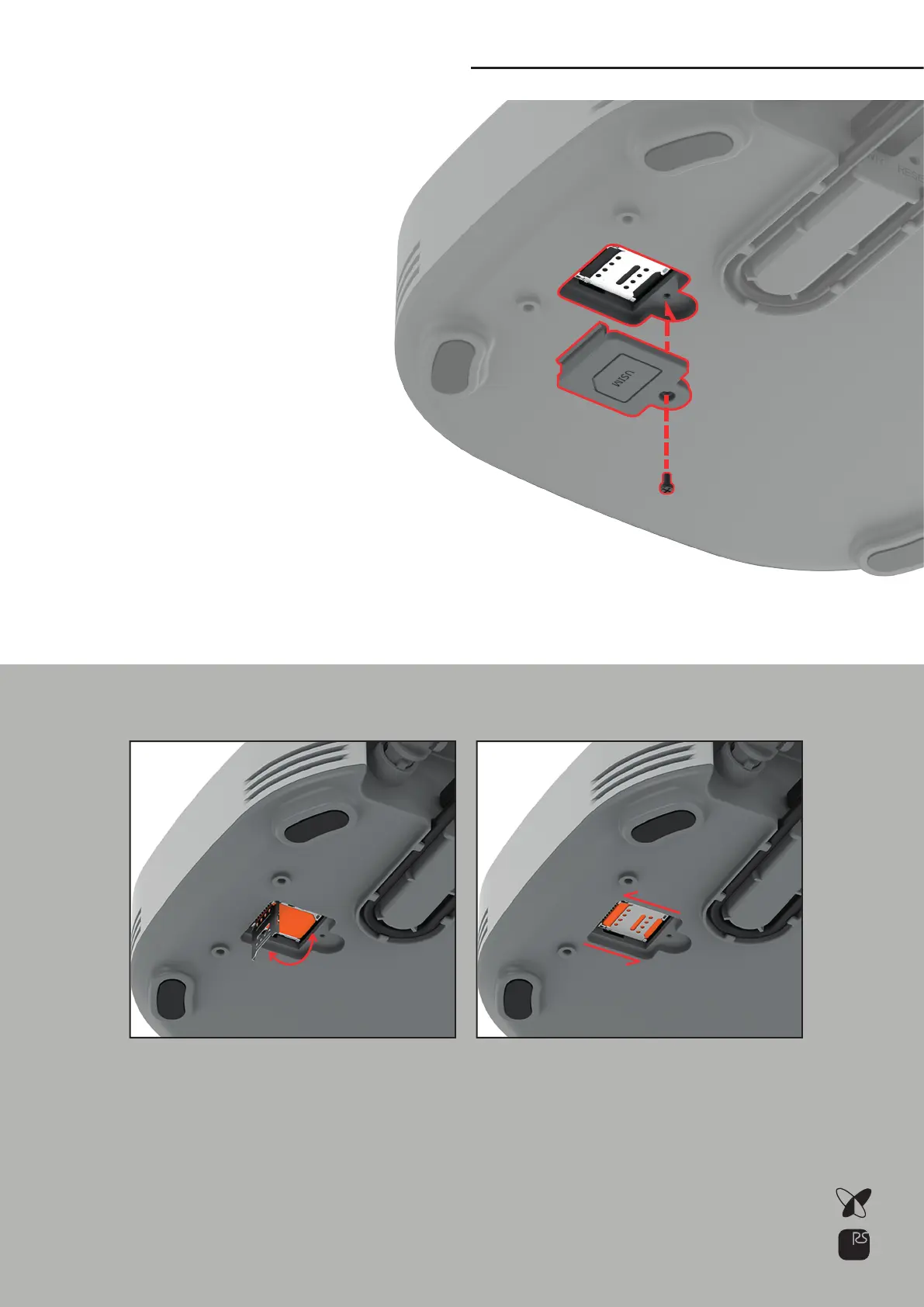
Open the USIM slot on the bottom of the NAP. Insert the USIM
according to the shape of the corner as shown in the figure
below, close the iron lid, and Slide it to the right to lock it in
place.
Place the station upside down carefully
Bottom side
LTE Connection
1)
2)
3)
4)
5)
6)
In case of using LTE M1 remove
the cover of the SIM card port
on the bottom of the station.
Unscrew SIM card port.
Slide the SIM socket cover in
the Open direction, and
then lift the socket cover up
wards.
Place the SIM card by align-
ing the cut edge of the SIM
card with the edge of the
socket.
Close the SIM socket cover downwards and
slide it in the Lock direction to lock it.
Tighten the cover of the SIM card port with a screw.
For NAP-5 / NAP-7
08



 To Next Page