- 7 -
EN
6. Standard Delivery
1
1 Water hose
1 Drain hose
1 Allen key, SW4
1 Pull-off tool
1 Angle bracket, only wih No. 1809-xxxx
1 Marathon Trimmer Disc, only with No. 1808-x500 and 1809-x500
7. Accessories
1803-3001 1 trimmer disc, diamond-coated
1803-2001 1 Marathon trimmer disc, partially diamond-coated
1803-1001 5 silicon carbide trimmer discs (3 x corn 80, 2 x corn 120) + support disc
1803-1100 5 silicon carbide trimmer discs, corn 80
1803-1200 5 silicon carbide trimmer discs, corn 120
8. Troubleshooting
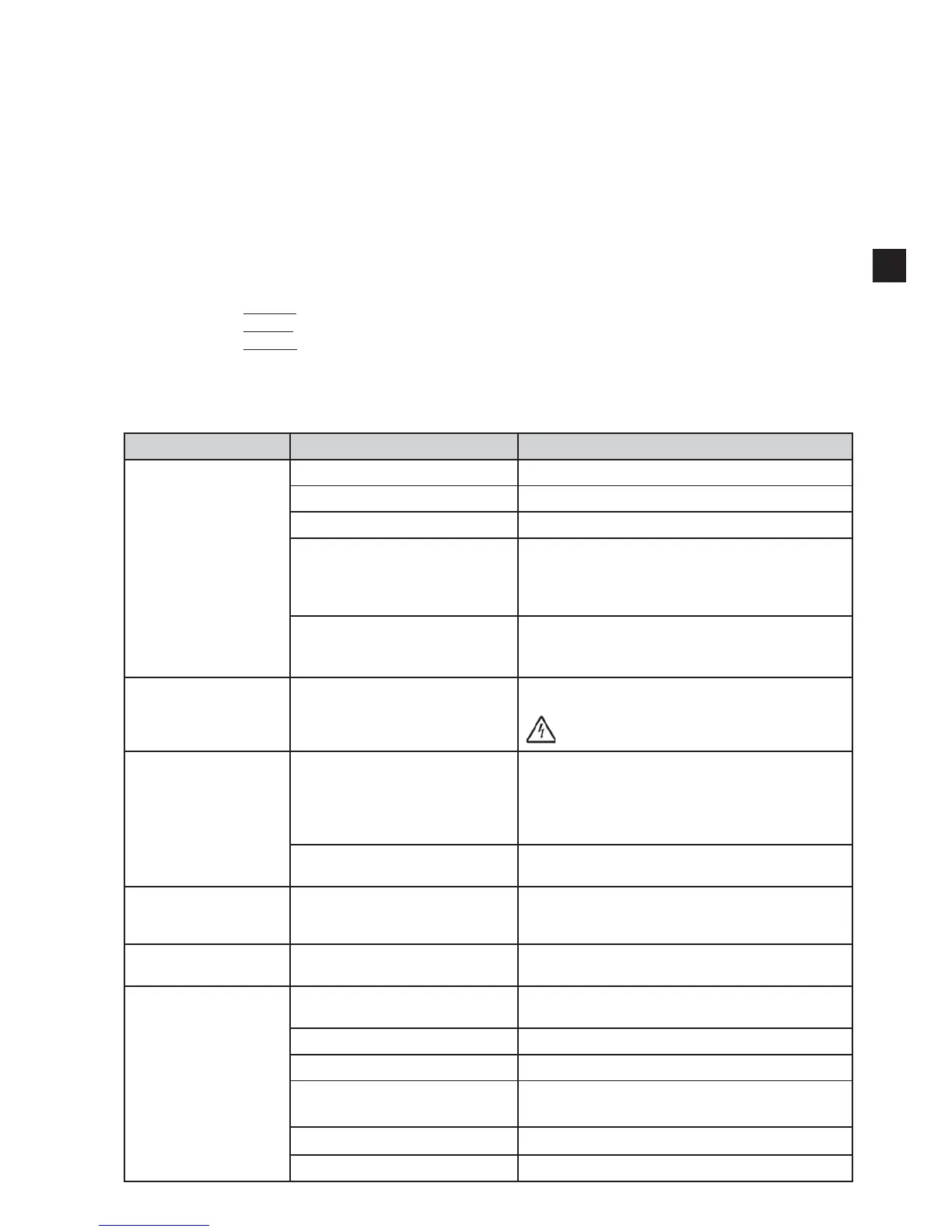
Error Cause Solution
Device fails to start. Power supply not established. Check the mains power supply.
Mains fuse faulty. Check the mains fuse.
Front cover not properly closed. Close the front cover latches (6, Fig 1, 2)
Motor overheated. Allow motor to cool down for approx. 60 minutes then
press power switch again.
Checks may be made in the meantime to see whether
the thermal protector has cooled down again.
temperature fault
5 seconds).
MT3 pro: On/off button
"#$%$
pressing hard.
Defect key Send the device in for repair.
Do not press the key too hard, there is a risk that
the operating screen may tear.
Trimmer disc wobbles. Reinstall the disc according to the directions (see
chap. 3.4)
. Pay attention that the disc is mounted
exactly on the lock pin (17, Fig. 10).
Remove all deposits from the back of the disc and
Fastening screw not tightened
Tighten the fastening screw.
Excessive noise while
the trimmer disc is
running.
Fastening screw not adequately
tightened.
Tighten the fastening screw , or reinstall, as required
(chap. 3.4).
Grinding table wobb-
ling.
Grinding table incorrectly installed. Push grinding table all the way down onto ball head.
Disc buildup. Water volume incorrectly adjusted
at the device.
Increase the water volume at the trimmer (chap. 3.2).
Fully open the water supply (chap. 3.2).
Rinse tube plugged. Clean/decalcify the rinse tube (chap. 4.3).
Inlet strainer plugged Remove the strainer with pliers
and clean / decalcify it (chap. 4.4).
No rinse tube seal. Check if rinse tube seal is attached.
No rinse tube. Put rinse tube in place.
EN


 To Next Page