79
Only one mobile phone at a time can be coupled actively with the moniceiver. If there is an active
Bluetooth connection already, this connection must be interrupted first.
If pairing was not successful, try repeating the process. The CAR BT device may have to be deleted
in your mobile phone first (see mobile phone instructions).
If the moniceiver or mobile phone with which there is an active connection is switched off or removed
from the range, the connection is interrupted. When switching on again or when the mobile phone
returns into the moniceiver range again, the connection is automatically re-established.
To permit this automatic establishing of connection, this function must be activated at the moniceiver
(see “Menu settings for Bluetooth operation”). This function also may have to be activated at the mobile
phone additionally (see instructions of the corresponding device).
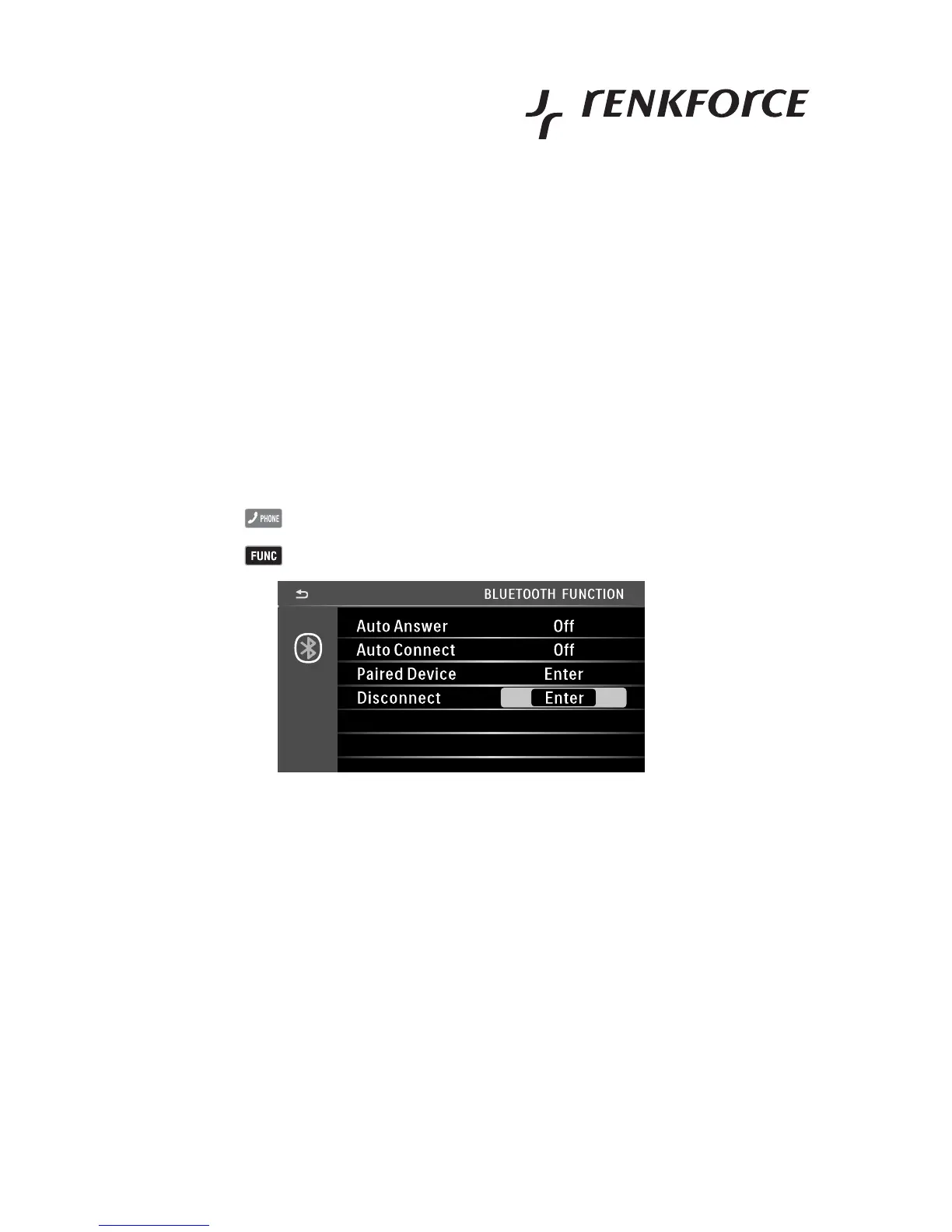
Menu settings for Bluetooth operation
• Touch the button .
• Touch the button to call the menu.
• AUTO ANSWER sets whether incoming calls are accepted automatically (ON) or manually (OFF).
• AUTO CONNECT sets whether automatic connection establishment is switched on (ON) or off (OFF).
• PAIRED DEVICE shows the coupled mobile phone and permits the following functions:
DEL deletes the mobile phone from the pairing memory.
DISCONNECT revokes the connection with the selected mobile phone.
CONNECT creates a connection with the selected mobile phone.
SEARCH permits searching for new mobile phones.
• DISCONNECT revokes the connection with the selected mobile phone.



 To Next Page