9
activity. IF problem persists, disconnect the port and connect it again. Normal behavior is when
the meter updates every 20 seconds.
NOTE: Errors could occur in the telecommunication port if the connection is not properly
secured. Also, too long of a cable may cause some inconsistencies.
Battery Level Flashing
Each strip equals to 20% of battery capacity. The bar that is flashing indicates that the battery is
within the next increment of 20% of the battery capacity. For example: when the first bar is
flashing, the battery is at 1-19% of capacity. Similarly, when the second bar of the battery is
flashing, then the capacity is at 21-39%.
NOTE: The meter measures battery capacity by the voltage it is experiencing. When
batteries are charging, they will not necessarily match the accurate battery capacity.
Battery capacity AH
AH is the accumulation of charging, each one minute will count. The data is not accurate while
the charge current is too small. The min. is 1AH, means 1 amps charging for 1 hour, Ah comes
to show.
Troubleshooting
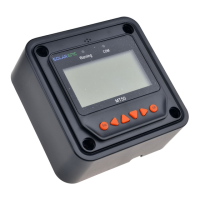
MT-1 has no display
Verify that the duo battery charge controller is powered on and that it is connected to the
MT-1. The MT-1 is powered by the duo battery charge controller.
LCD display is dim
Make sure that the MT-1 is not in half-brightness mode.
Check the system battery voltage. The MT-1 needs a minimum of 8 V to operate.
Verify that the temperature is within range of the LCD operating parameters.
MT-1 turns on, but shows no data
MT-1 is potentially damaged or the cable is damaged. Replace the cable by contacting
the manufacturer.
MT-1 display does not match product manual
Our products undergo manual revisions from time to time. Please check our website at
Renogy-store.com > downloads for latest documentation.
Buttons do not work
Disconnect the MT-1 and clean the faceplate to remove any potential buildup of residue
Reconnect MT-1


 To Next Page