Need help?
Do you have a question about the Renogy MT-1 and is the answer not in the manual?
Crucial safety warnings and symbol explanations for safe operation.
Overview of the MT-1 Tracer meter, its purpose, and applications.
Lists key features like voltage display, current display, and accumulation.
Lists the items provided in the MT-1 Tracer meter package.
Detailed explanation of all icons and indicators on the MT-1 Tracer meter display.
Explains buttons, power-on test mode, and menu navigation for meter operation.
Introduces the different categories of data displayed by the MT-1 Tracer meter.
Displays solar panel voltage, current, and generated Amp-Hours/Watt-Hours.
Shows voltage, current, and Amp-Hour accumulation for Battery 1 and Battery 2.
Displays local temperature readings and the current time.
Guide to configuring meter settings like temperature units, brightness, and clock.
Settings for backlight timer, brightness, and clock adjustment.
Explains system status icons, test mode interpretation, and error indicator causes.
Potential problems and solutions related to the communication port connection.
How flashing battery bars indicate capacity percentage and AH accumulation.
Resolving problems like no display, dim display, no data, and unresponsive buttons.
Details on rated voltage, current consumption, cable, and device dimensions.
Operating temperature ranges, humidity limits, and physical layout measurements.
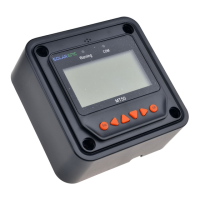
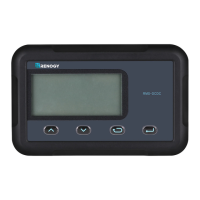
The Renogy MT-1 Tracer Meter is a remote digital display designed for use with 10Amp or 20Amp Duo Battery Charge Controllers. It serves as a self-diagnostics meter, providing real-time monitoring and display of the solar system's status information, including any error indications. The meter features a backlit LCD display and large, easily navigable buttons for user interaction.
The MT-1 Tracer Meter is primarily used to monitor various parameters of a solar charging system. It displays both solar voltage and battery voltage, as well as charging current and load current. The meter also tracks Amp-Hour and Watt-Hour accumulation, providing a comprehensive overview of energy generation and consumption. It can display information for two batteries, making it suitable for systems with dual battery banks. The meter includes a self-test function that cycles through all screens upon power-on to ensure proper operation. Users can navigate through four main menus: PV Solar Information, Battery 1 Information, Battery 2 Information, and Temperature/Time Information.
The MT-1 Tracer Meter is designed for ease of use and provides critical information to ensure the efficient and safe operation of a dual-battery solar charging system.
 General
| Brand | Renogy |
|---|---|
| Model | MT-1 |
| Category | Measuring Instruments |
| Language | English |

 To Next Page