22
Embedding
HUB
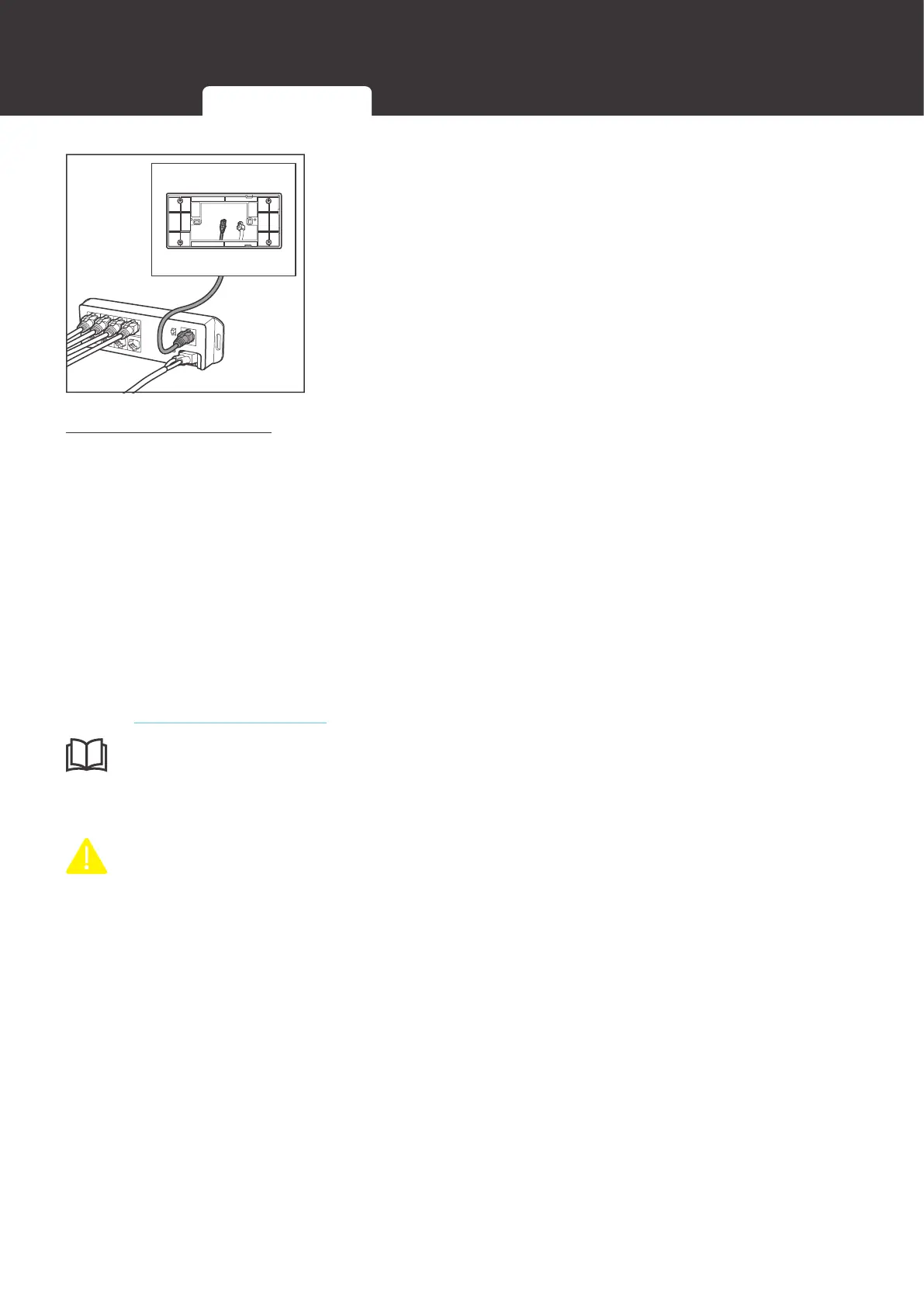
5. Connect the other end of the communication cable to the
main communication port of Renogy Communication Hub.
RV-C Communication
Renogy ONE M1 can communicate with other REGO devices and monitoring devices, enabling
safe operation, smart control, remote monitoring, and programmable settings.
The RV-C communication wiring varies depending on the connection network topology. Both
backbone and daisy chain topologies are supported.
█
Backbone Topology
Some RV manufacturers have a pre-installed RV-C bus running through the RV. Please check
the RV user manual and make sure that the first and last Drop Tap on the RV-C bus has a
built-in 120Ω termination resistor. In this way, Renogy ONE and other REGO devices can be
connected to the RV-C bus for communication with the Backbone topology.
If you need to use the backbone topology for communication connections, please contact us
through renogy.com/contact-us/.
INF
z
If a RV-C bus is pre-installed in the RV, check the network wiring diagram provided by the RV
manufacturer and follow the backbone topology for the RV-C communication connections.
CAUTIO
z
If you are unsure whether the RV-C bus has built-in 120Ω terminal resistors after reading the
RV user manual, you can call the RV manufacturer.
z
If there is no built-in 120Ω termination resistors on the RV-C bus, Renogy ONE and other
REGO devices will not be able to communicate properly. Please use the daisy chain
topology for communication connections.
When it is determined that a backbone topology can be used for communication connections,
the appropriate communication cable must be selected for the connection based on the actual
usage.
12V Power Cable Communication Cables External Load


 To Next Page