37
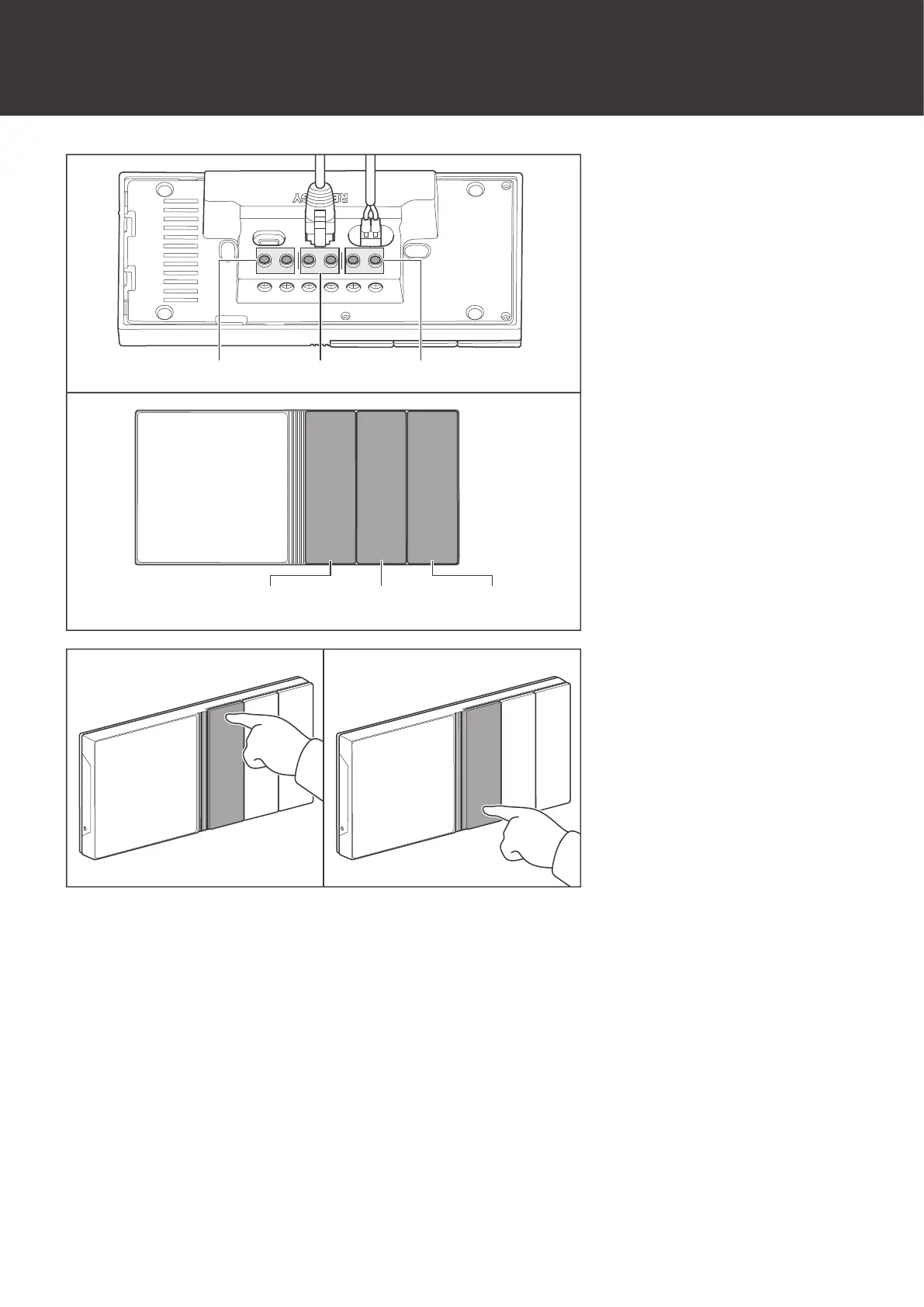
Control External Loads
Control External Loads
+ - CAN/RS485 TYPE-C
Control CH3 Control CH2 Control CH1
CH3 CH1CH2
IN1 IN2OUT1 OUT2 IN3 OUT3
1. The 3 panel switches of
Renogy ONE correspond
to 3 panel relays
respectively.
OFF
ON
2. Press the panel switches
to power on/off external
loads.
You can modify the above default settings or set more functions for the panel switch through the
DC Home app.
On the main interface of the DC home app, tap Scenes and tap +, set the conditions and
actions of When and Do respectively, and then click Save.


 To Next Page