12 13
Turning your Multi Mic ON and OFF
To turn the Multi Mic ON, press and hold the Power button (see
page 8) for approximately 1.5 seconds, until the status LED turns
green. After releasing the Power button, the status LED will blink
green every 2 seconds.
To turn the Multi Mic OFF, press and hold the ON/ OFF button for
approximately 1.5 seconds, until the status LED turns red – indi-
cating that the unit is shutting down.
If the battery level is low, the status LED will blink orange once
every second.
Pairing to your hearing instruments
i
Note! The following information is primarily intended for your
hearing care professional, who in most cases will complete the
necessary tasks needed before the Multi Mic can be used with
your hearing instruments. However, the process is designed to be
simple and most people can do it themselves.
It is possible to pair up to three ReSound streaming devices - e.g.
one Multi Mic and two TV streamers (optional Unite™ accessory)
- with a given pair of hearing instruments. Therefore, channel 1, 2
or 3 must be selected when starting the pairing process.
Pairing the Multi Mic in channel 1
1. Make sure the Multi Mic is turned ON. Your hearing instru-
ments must be OFF – open the battery doors.
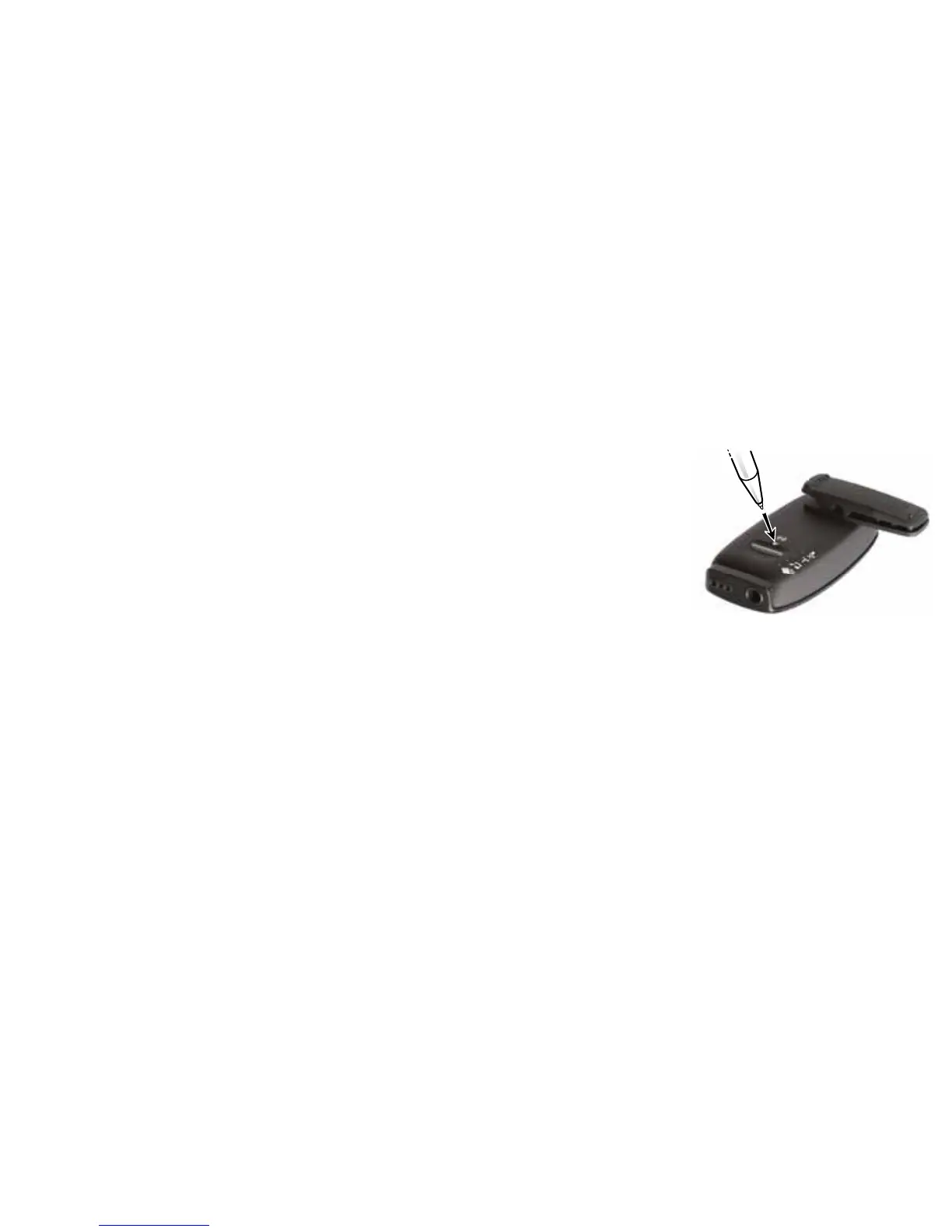
2. With the tip of a pen
or similar object, press
the small pairing but-
ton once, as shown in
the picture to the right.
The status LED will now
blink orange once every
2 seconds to indicate that
the Multi Mic is ready to be
paired in channel 1. Your
Multi Mic will remain in Pairing mode for 20 seconds.
3. While in Pairing mode, close the battery doors on both hearing
instruments and make sure they are ON. A successful pairing
will be indicated by an audible melody being played in both
hearing instruments and the status LED (see page 8) will stay
solid orange for 3 seconds. You are now ready to use the Multi
Mic!


 To Next Page