4
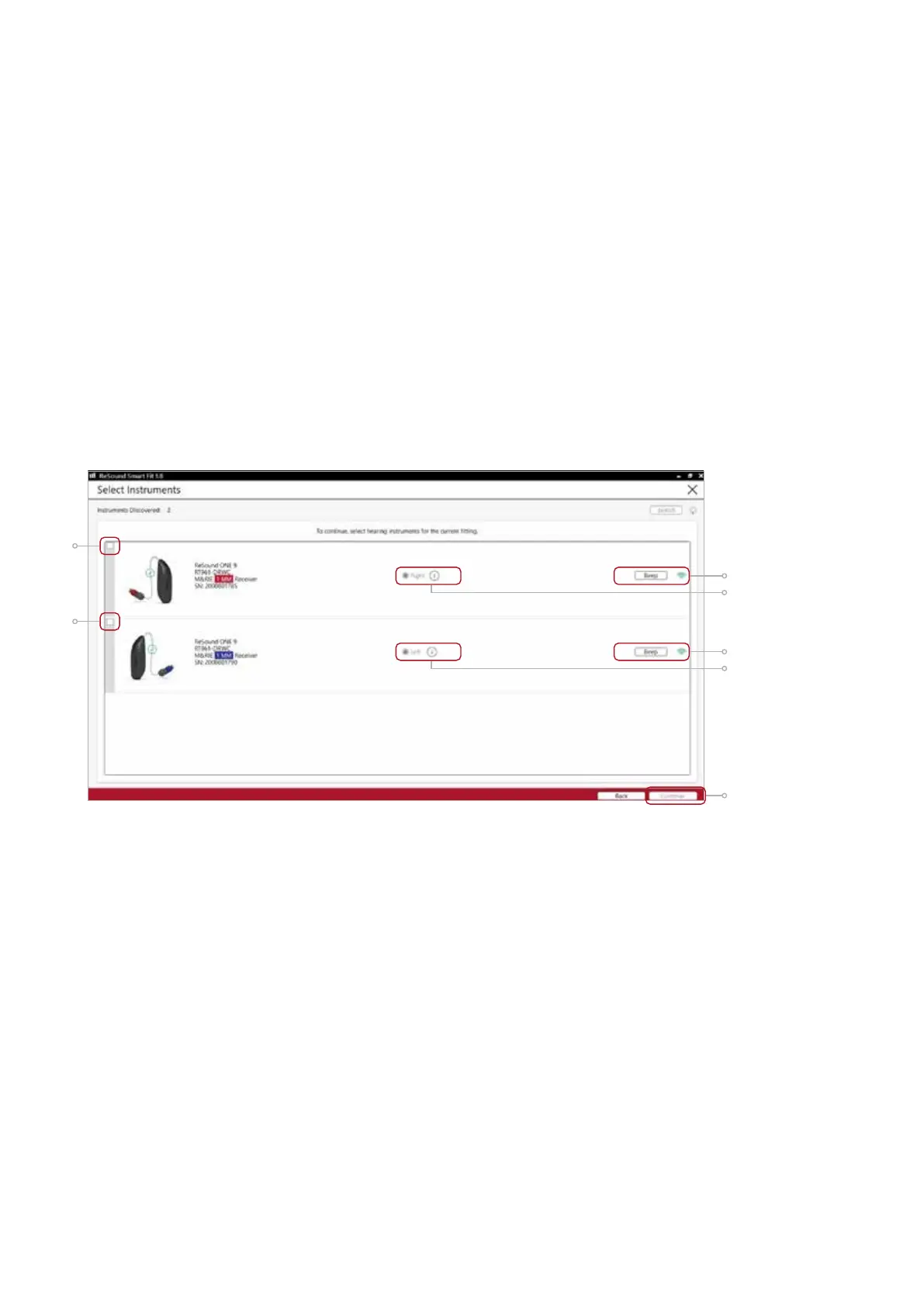
Select instruments
The hearing aids will appear in the ‘Select instruments’ section.
1. When the hearing aids to be programmed have been identified select them by
checking the left box.
2. Once receivers are detected, the hearing aids are automatically assigned to the right
and left ears. The side, type, size and power level of each receiver will be displayed
throughout the fitting. When pressing “Beep”, the audio signal will be played and the
LED will flash. It is recommended to beep the hearing aid for confirmation that the
hearing aid selected in the software is in fact the instrument being used in the fitting
and on the correct side.
Note: detectable receivers are not backwards compatible and can only be fitted
with ReSound ONE hearing aids. Receiver detection works for all SureFit 3 receivers,
including M&RIE.
3. Continue in the lower right of the screen once the hearing aids are selected and
assigned.
1
1
2
2
3









 To Next Page