7
Pairing wireless accessories
The Accessories screen can be accessed via the connection flow at the final step, at the
bottom of the fitting screen, or in the Accessories tab of the Instruments navigation item.
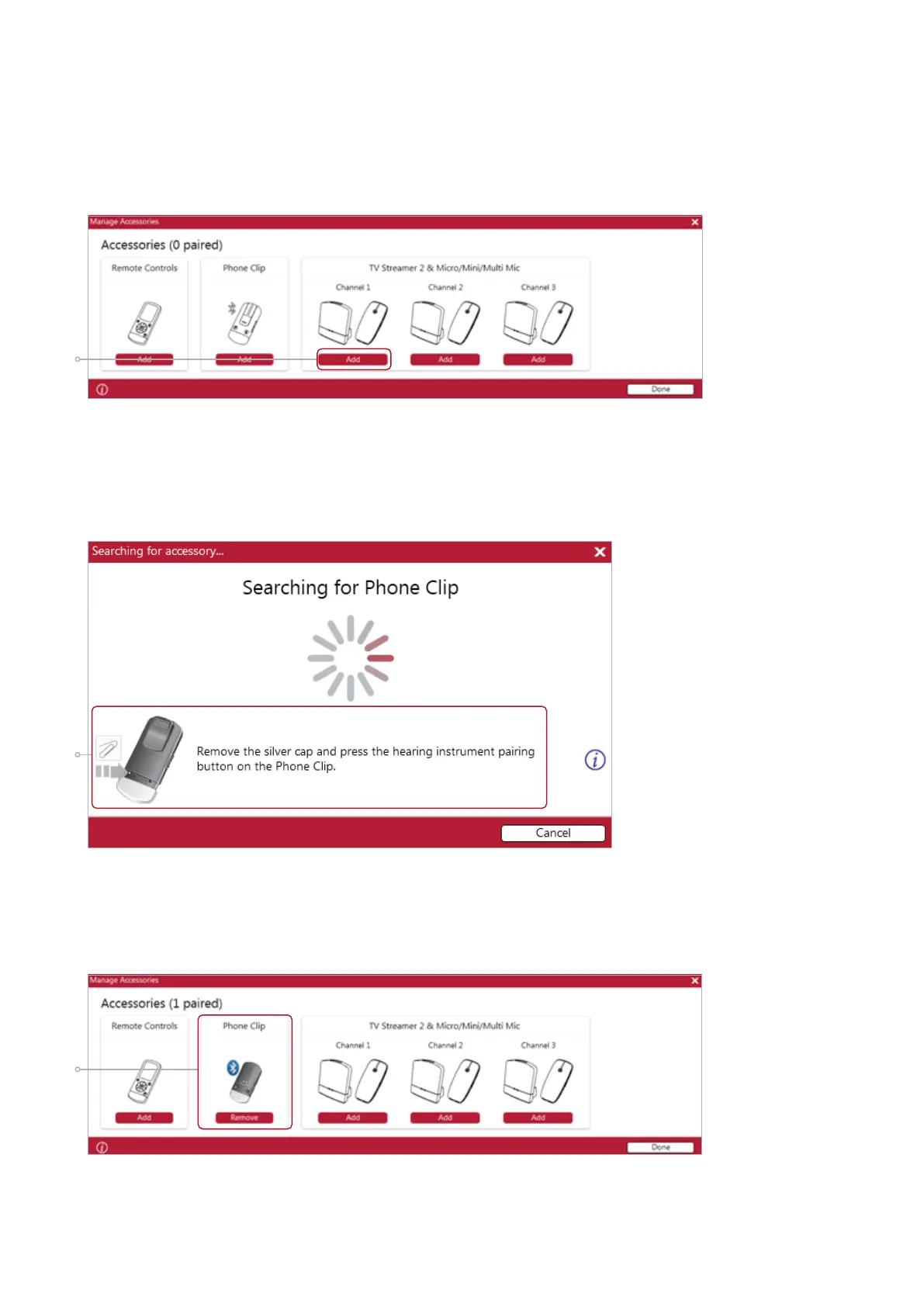
1. Click ‘Add’ beneath the accessory you wish to pair.
1
2
3
3. When the accessory is successfully paired, the accessory image will appear in color
with a remove button below.
2. Once the searching pop-up appears, press the pairing button on the accessory
with a small pointed objects such as a pen tip or paper clip. Follow the pairing
instruction displayed.









 To Next Page