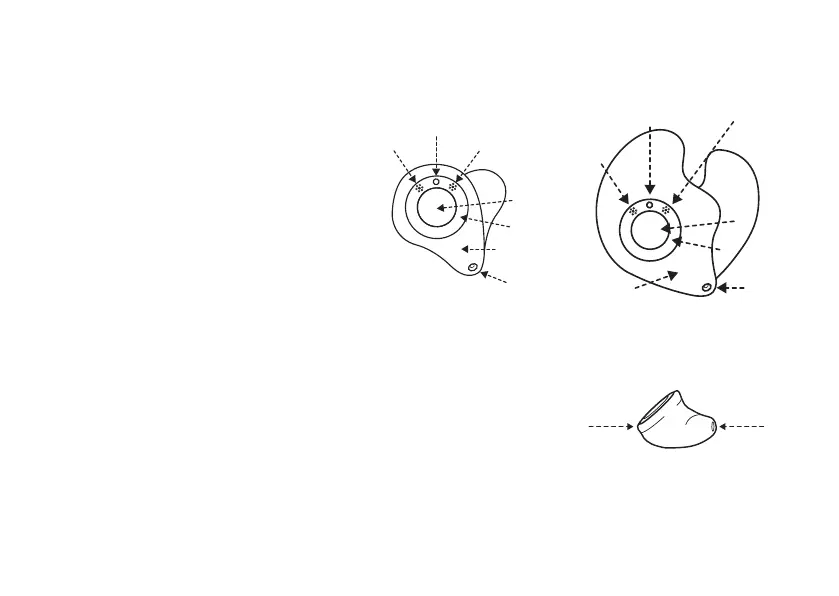
Getting to know your hearing aid
Front view ITC model ITEmodel
1. Microphone sound inlets
2. LED green indicator light. Off during
normal use. (See page 17)
3. Push button
4. Filter ring
5. Faceplate
6. Vent
Side view
5. Faceplate
7. Wax filter
• Product data (including the hearing aid's serial number) and color
marking for left or right hearing aid respectively are printed on the side of
the shell (not shown here).
• If ordered with your hearing aid, a pull-out wire for easy removal (not
shown here) will be fastened to the shell of the hearing aid.
Getting to know your hearing aid 11









 To Next Page