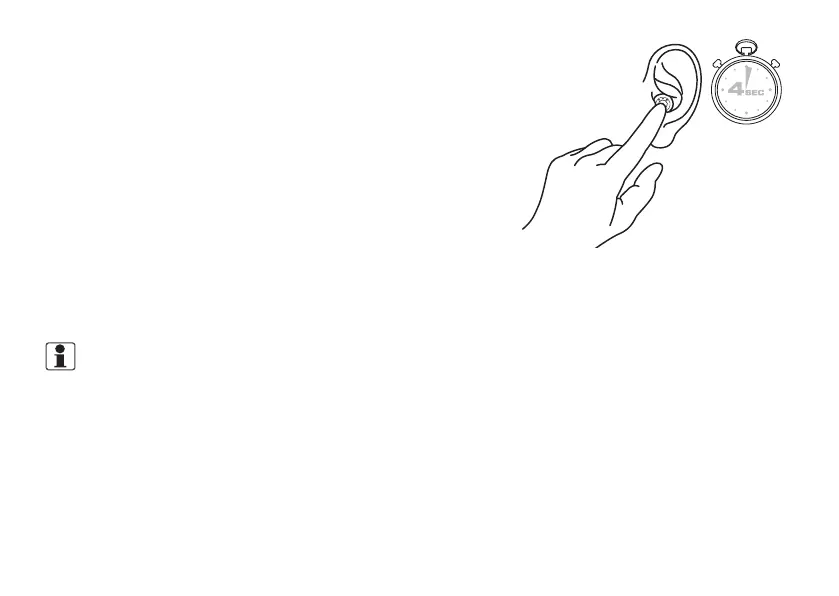
To manually turn your hearing aid ON:
Push and hold the button on the hearing aid for at least 4 seconds.
The LED will light up for two seconds and the hearing aid turns on.
Your hearing aids always start in program1 at the pre-set volume.
To manually turn your hearing aid OFF:
Push and hold the button on the hearing aid for at least 4 seconds.
The LED will emit 3 quick flashes and the hearing aid turns off.
For all other functions, see the section "Using the push button".
Explanation of indicator lights on the hearing aid
• One 2-second green blink: The hearing aid turns on and is in
operating mode.
• Three 1-second green blinks: The hearing aid turns off.
Explanation of indicator lights on the front of the charger
NOTE: Each hearing aid has its own LED indicator.
• Green indicator light pulsates on and off: The hearing aid is recharging.
(To charge: hearing aids must be place correctly in the charger, the lid must be closed, and the charger must
be powered on.)
• Constant green indicator light: The hearing aid is fully charged.
• Fast blinking: Error. See the charger user’s guide.
Explanation of indicator lights on the back of the charger
• Constant green indicator light: The charger is plugged in and ready to charge.
18 Using your hearing aids









 To Next Page