EasyManua.ls Logo

Respironics Millennium - 4.2 System Setup

Respironics Millennium
48 pages
Print Icon
To Next Page IconTo Next Page
To Previous Page IconTo Previous Page
Loading...
Chapter
4:
System
Setup
Procedures
RESPIRONICS*
4.2
System
Setup
Power
Step
1
When
removing
unit
from
shipping
carton,
check
unit
LED
for
damage
caused
during
shipping.
If
damage
is
(Green)
found,
follow
directions
on
shipping
carton.
Power
NOTE:
If
a
unit
is
new,
check
for
shipping
damage.
Switch
If
damage
is
found,
follow
directions
on
the
shipping
carton.
Step
2
Verify
that
the
cabinet
is
clean
and
correctly
positioned.
Step
3
Remove
the
rear
access
door
and check
to
see
that
the
inlet
pre-filter
and
the
inlet
filter
are
clean
and
in
place.
Alarm
Also,
check
the
air
inlet
filter.
LED
Step
4
Before
connecting
the
unit
to
a
power
source,
perform
(Red)
the
following
procedure
to
check
battery
condition
and
. |
alarm
function.
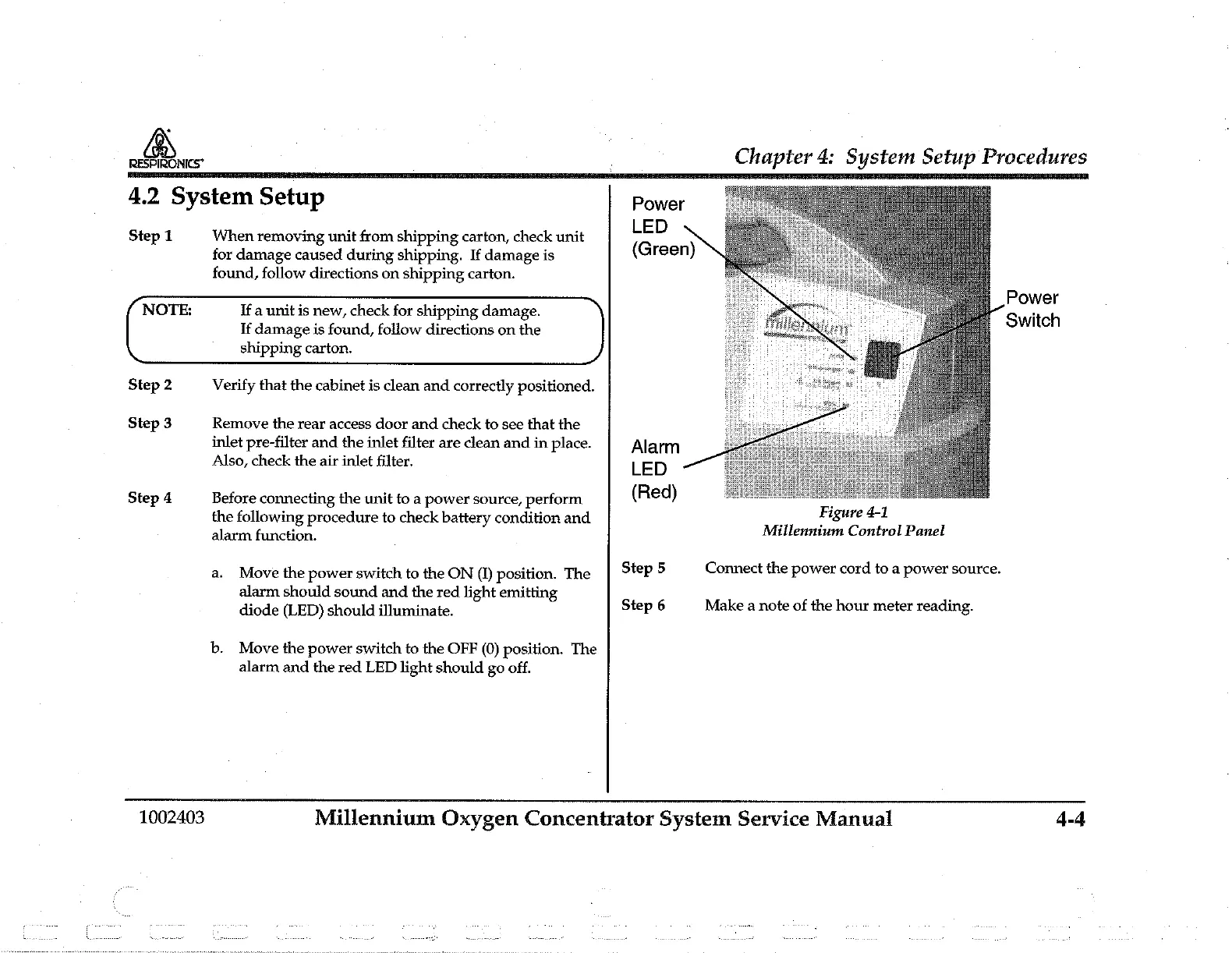
Millennium
Control
Panel
a.
Move
the
power
switch
to
the
ON
(1)
position.
The
Step
5
Connect
the
power
cord
to
a
power
source.
alarm
should
sound
and
the
red
light
emitting
.
diode
(LED)
should
illuminate.
Step
6
Make
a
note
of
the
hour
meter
reading.
b.
Move
the
power
switch
to
the
OFF
(0)
position.
The
alarm
and
the
red
LED
light
should
go
off.
1002403
Millennium
Oxygen
Concentrator
System
Service
Manual
4-4

Related product manuals