EasyManua.ls Logo

Respironics Millennium - Page 41

Respironics Millennium
48 pages
Print Icon
To Next Page IconTo Next Page
To Previous Page IconTo Previous Page
Loading...
RESPIRÓNICS"
System
Setup
(Continued)
Chapter
4:
System
Setup
Procedures
NOTE:
If
you
have
a
Model
605
(which
is
equipped
with
the
oxygen
percentage
indicator
(OPI).
The
yellow
LED
light
will
blink
until
the
oxygen
purity
is
above
85%.
Then,
the
green
normal
oxygen
LED
illuminates.
Step
8
Adjust
the
flow
meter
to
5
Ipm
(international
units
to
4
lpm).
Turning
the
flow
meter
knob
clockwise
decreases
flow
and
counter-clockwise
increases
the
flow.
Step
9
If
the
items
above
are
working
properly,
continue
with
Step
9. If
there
is
a
problem,
see
Chapter
7-,
Troubleshooting
&
Diagnostics.
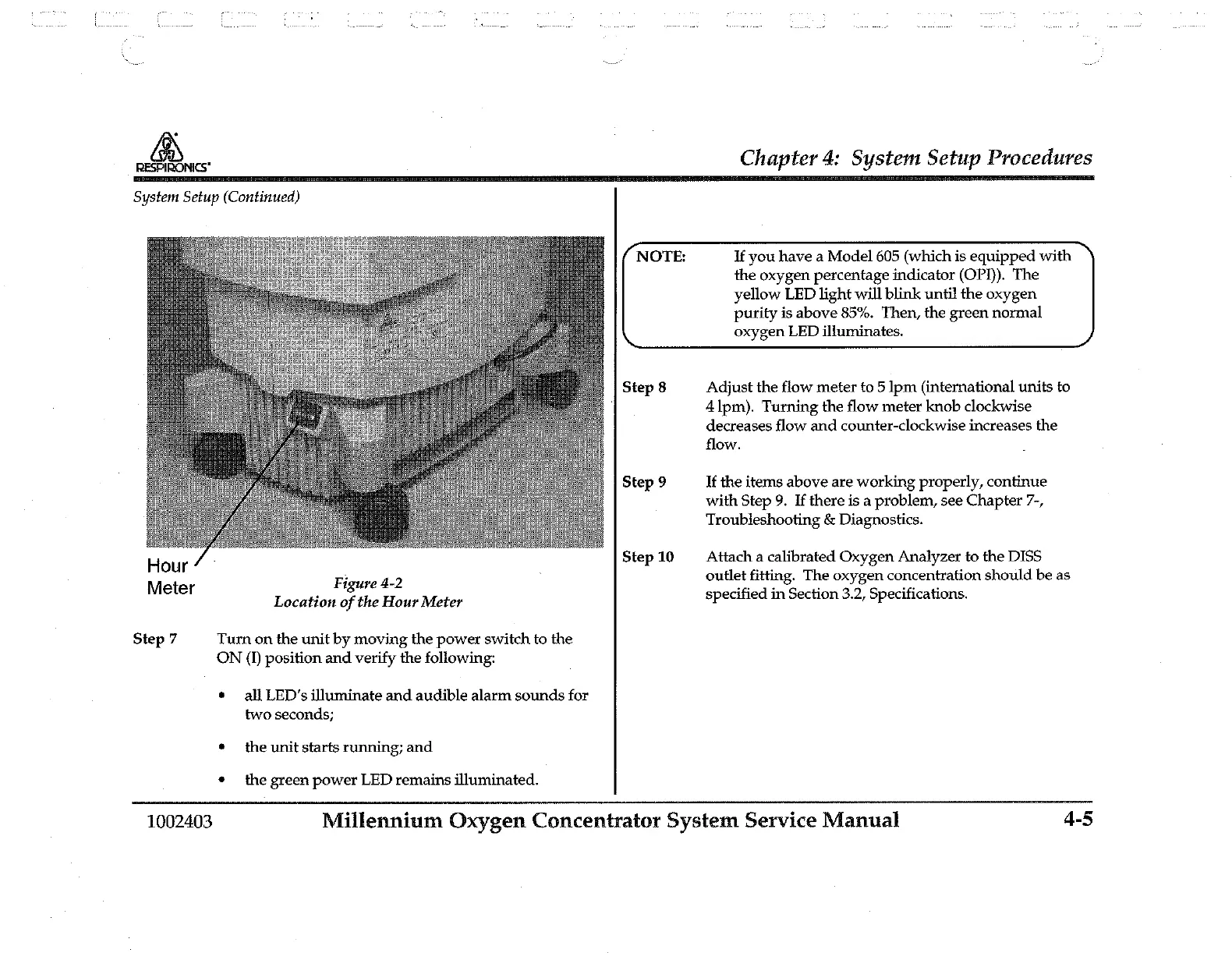
Hour
Step
10
Attach
a
calibrated
Oxygen
Analyzer
to
the
DISS
Figure
4-2
outlet
fitting.
The
oxygen
concentration
should
be
as
Meter
Location
of
the
Hour
Meter
specified
in
Section
3.2,
Specifications.
Step
7
Turn
on
the
unit
by
moving
the
power
switch
to
the
ON
(1)
position
and
verify
the
following:
all
LED's
illuminate
and
audible
alarm
sounds
for
two
seconds;
the
unit
starts
running;
and
the
green
power
LED
remains
illuminated.
1002403
Millennium
Oxygen
Concentrator
System
Service
Manual
4-5

Related product manuals