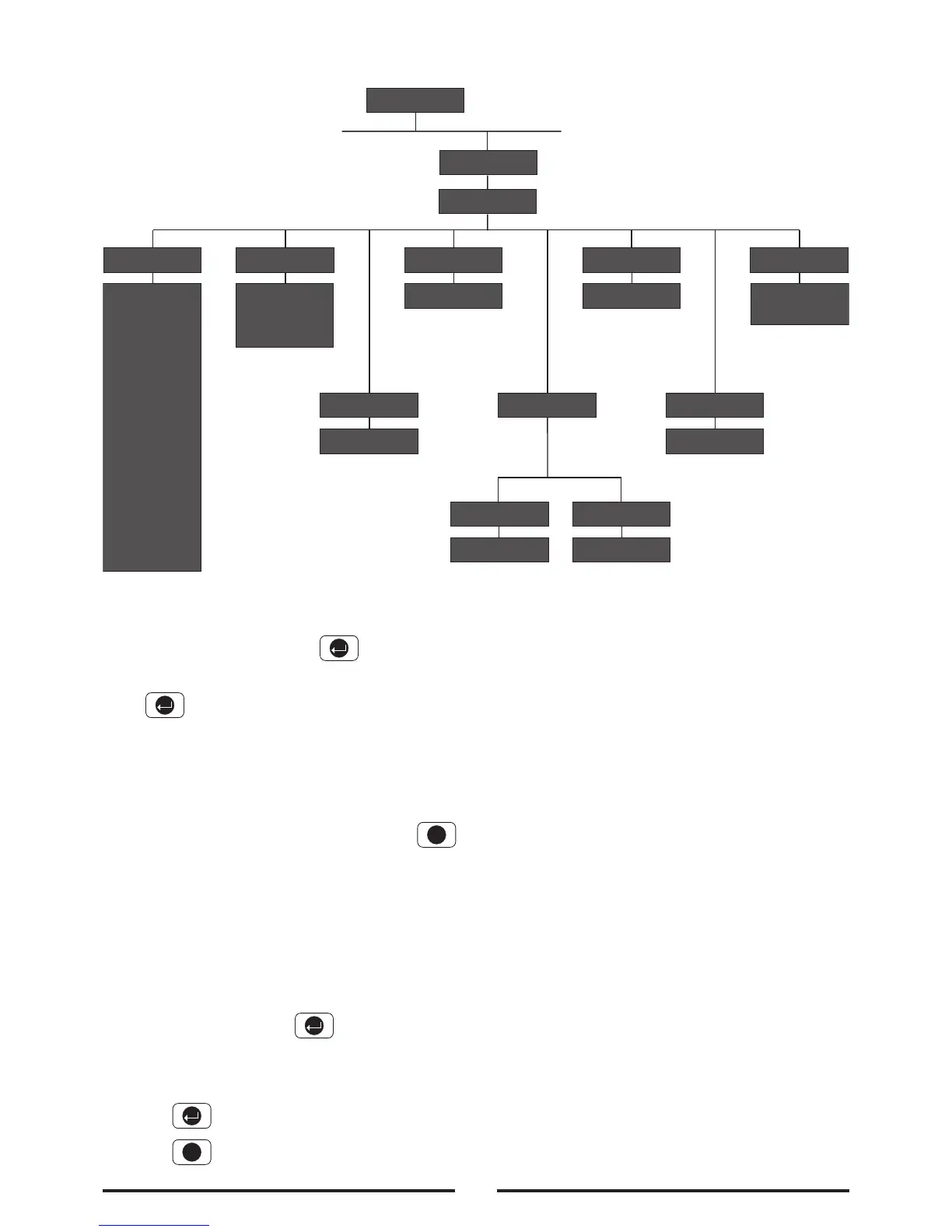
Scroll through the programming menu until ‘3. ZONE
SETUP’ is displayed and press .
Enter the zone number to be configured and
press .
The following configuration options are based upon
configuring zone 1. Options for all other zones (2-10)
are identical except the zone number reference will
change according to the zone being configured.
Note: After completing the Zone Setup press
to return to the top level programming menu.
Name
Default setting: ‘No Name’
Scroll through the menu until ‘3-1 Z01 Name’ is
displayed. The current setting will also be displayed.
To change the setting press .
Scroll through available options until the required
setting is displayed.
Press to save and exit, or
Press to exit without saving.
Type
Each alarm zone may be programmed to operate in
one of 5 different modes dependant upon the type of
alarm function it is required to perform. The following
alarm types are available:
Panic/PA
- used to provide 24 hour monitoring of any Personal
Attack (PA) switches fitted to the system. Activation
of any PA switch will immediately initiate a Full
Alarm condition.
Intruder
- provides standard intruder monitoring with normal
ARM and PART-ARM functions.
24 Hour Intruder
- used to provide 24 hour monitoring of areas
requiring continuous security protection even while
the system is Disarmed, (e.g. gun lockers). Activation
of any detector on a security zone will immediately
initiate a Full Alarm condition.
Fire
- use to provide 24 hour monitoring of any Fire/Smoke
detectors fitted to the system. Activation of any
detector will immediately initiate a Full Alarm condition.
Zone Setup
26



 To Next Page