Part-Arm 2 Setup
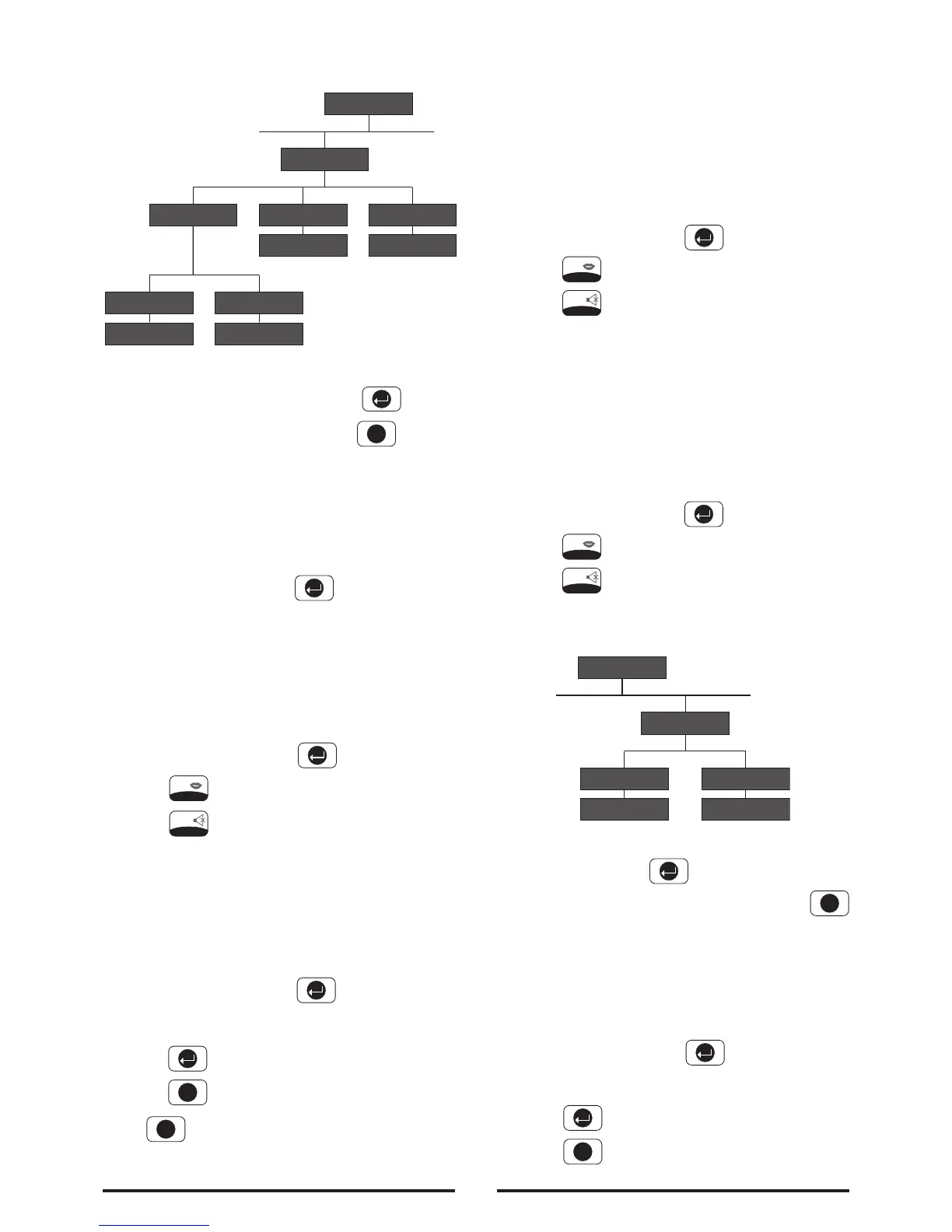
Scroll through the programming menu until ‘7. PART-
ARM 2 SETUP’ is displayed and press .
Note: After configuring Full Arm press to return
to the top level programming menu.
Exit Delay
Scroll through the menu until ‘7-1 EXIT-DELAY’ is
displayed. The current settings will also be displayed.
To change the settings press .
On/Off Status
Default setting: ON
Scroll through the menu until ‘7-1-1 Status’ is
displayed. The current setting will also be displayed.
To change the settings press .
Press to enable the Exit delay, or
Press to disable the Exit delay.
Delay Period
Default setting: 30 seconds
Scroll through the menu until ‘7-1-2 Delay Time’ is
displayed. The current settings will also be displayed.
To change the settings press .
Enter the required delay period (10 to 250s).
Press to save and exit, or
Press to exit without saving.
Press to return to top level Part-Arm 2 Setup
menu.
Entry Delay Beep
This controls the warning beep which operates during
the Entry Delay period when Part-Arm 2 is active.
Default Setting: ON
Scroll through the menu until ‘7-2 Entry Delay Beep’ is
displayed. The current setting will also be displayed.
To change the setting press .
Press to enable the entry-delay beep, or
Press to disable the entry-delay beep.
Exit Delay Beep
This controls the warning beep which operates during
the Exit Delay period when Part-Arm 2 is initiated.
Default Setting: ON
Scroll through the menu until ‘7-3 Exit Delay Beep’ is
displayed. The current setting will also be displayed.
To change the setting press .
Press to enable the exit-delay beep, or
Press to disable the exit-delay beep.
Time & Date Setup
Scroll through the menu until ‘8 TIME & DATE SETUP’
is displayed and press .
Note: After configuring the Time and Date press
to return to the top level programming menu.
Date
Scroll through the menu until ‘8-1 Date’ is displayed.
The current setting will also be displayed.
To change the setting press .
Enter the date in the format ‘dd/mm/yy’.
Press to save and exit, or
Press to exit without saving.
32



 To Next Page