3. Press [CALL] again to return to your previous operating frequency.
Receiving
When you receive a call on the current channel, an icon and eld strength will appear on the
screen.
Note: When the radio's squelch level is set too high, you may not be able to hear the call.
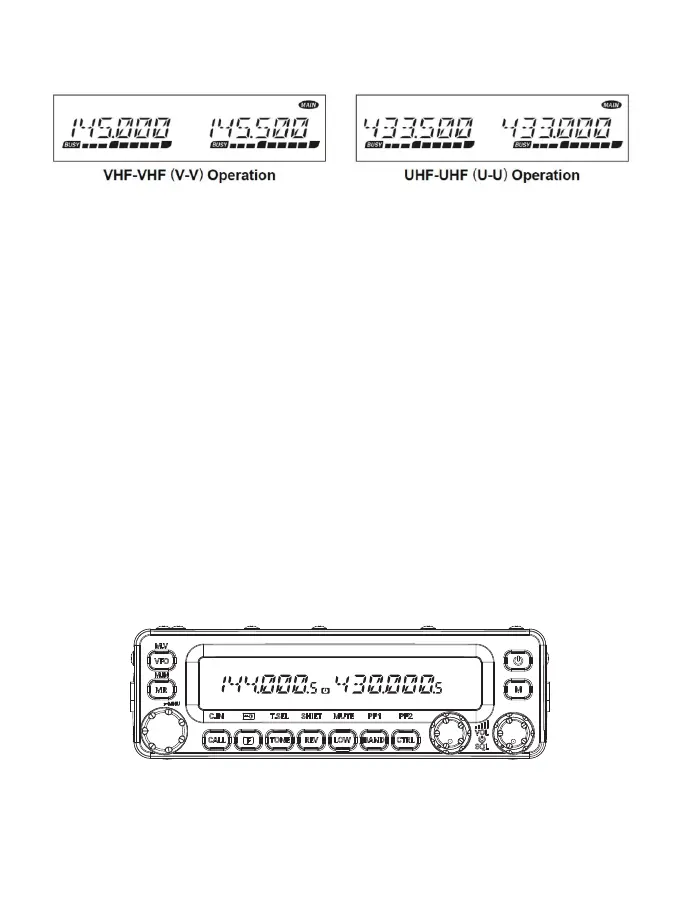
B Operating band is switched between 144 MHz and 430 MHz.
Attention:The radio suppos work in the VHF (V-V) or UHF (U+-U) at the same time.
7.Operation Mode Select
There are 3 operation modes: VFO mode, memo mode, call mode.
VFO mode
VFO mode allows you to manually change the operating frequency.
1. Press [VFO] to enter VFO mode.
2. Rotate the Tuning control to select your desired operating frequency.
Memo Channel Mode
Memo Channel mode allows you to quickly select a frequently used frequency and
related data which you have saved in the transceiver memo.
1. Press [MR] to enter Memo Channel mode.
2. Rotate the Tuning control to select your desired Memo channel.
Call Channel Mode
Call Channel mode allows you to quickly select a preset channel to allow immediate calls on
that frequency.
The Call channel can be conveniently used as an emergency channel within your group.
1 Select your desired band (A or B).
• The Call channel has a dedicated frequency for both bands A and B.
The default frequency for band A is 144 MHz. The default frequency for band B is 430/440
MHz.
2 Press [CALL] to enter Call Channel mode.
“C” appears on the display.
12



 To Next Page