Model Two Owner’s Manual
Copyright 2014 © Retro Manufacturing, LLC Page 11
STEP 2: Mount Shas to Brackets
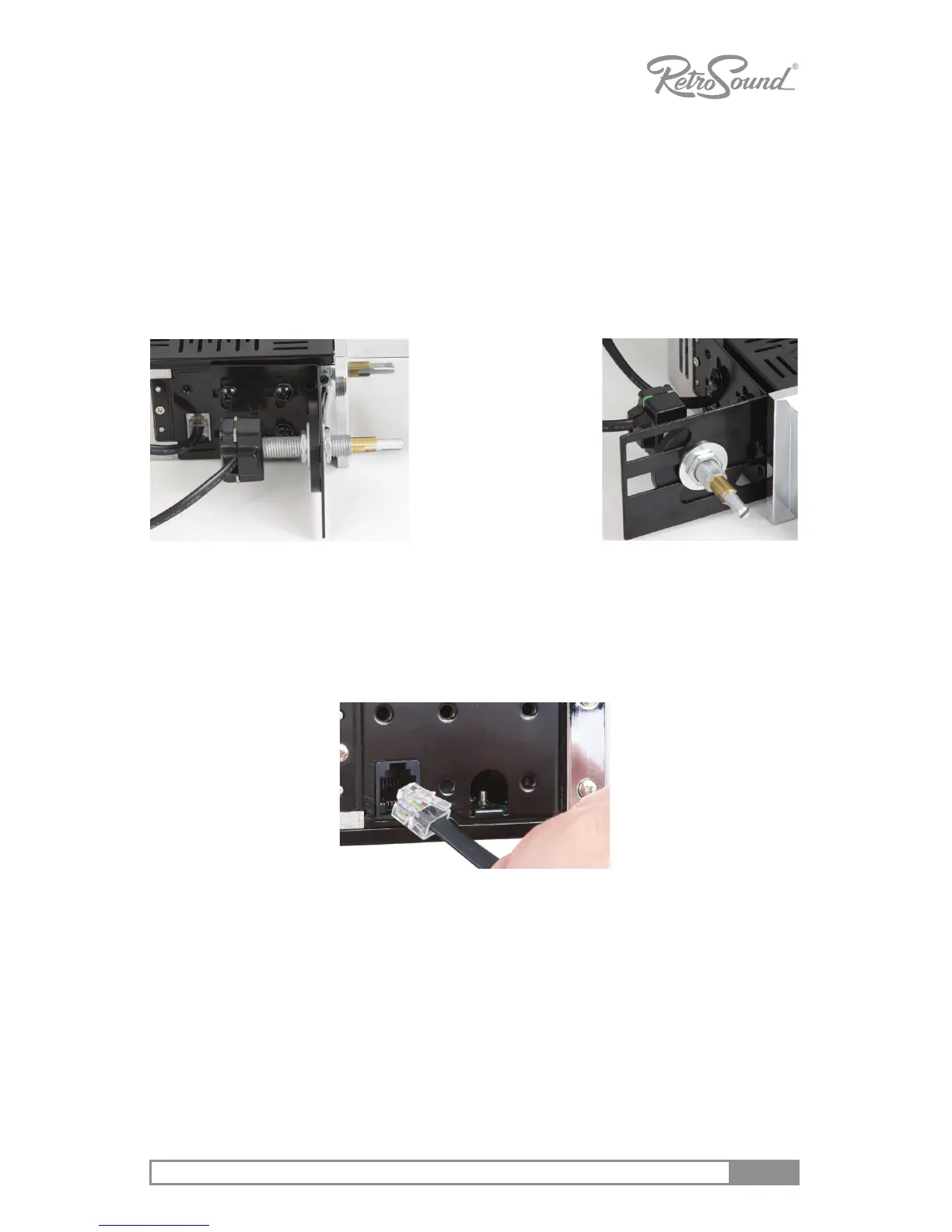
1. To match the InniMount sha and bracket system to the proper sha
width of your vehicle, rst measure the distance between your exisng
sha holes from center to center.
2. Mount a sha system to each bracket using the supplied sha nuts, metal
and plasc washers.
3. Finger ghten to prepare for the nal installaon (see Figure 2).
Figure 2 - Mount Shaft to Bracket
4. Once sure of the proper width, ghten prior to nal installaon. Be sure to
plug the shas into each side of the main unit to acvate the sha-control
funcons (see Figure 3). NOTE: Each of the shas can operate on either
side of the radio and are not le/right dependant.
Figure 3 - Insert Shaft Plugs
NOTE: Modifying or cung the radio’s brackets will not void your warranty.
The system is designed to accommodate any installaon scenario.
STEP 3: Complete Wiring Connecons
See “Wiring Instrucons” on page 15
Use supplied
washers and nuts
to place shas
onto brackets.
Important: DO NOT
overghten.



 To Next Page