Model Two Owner’s Manual
Copyright 2014 © Retro Manufacturing, LLC Page 13
STEP 5: Install Knobs
Once your radio is installed, follow the steps below to ensure a proper knob t.
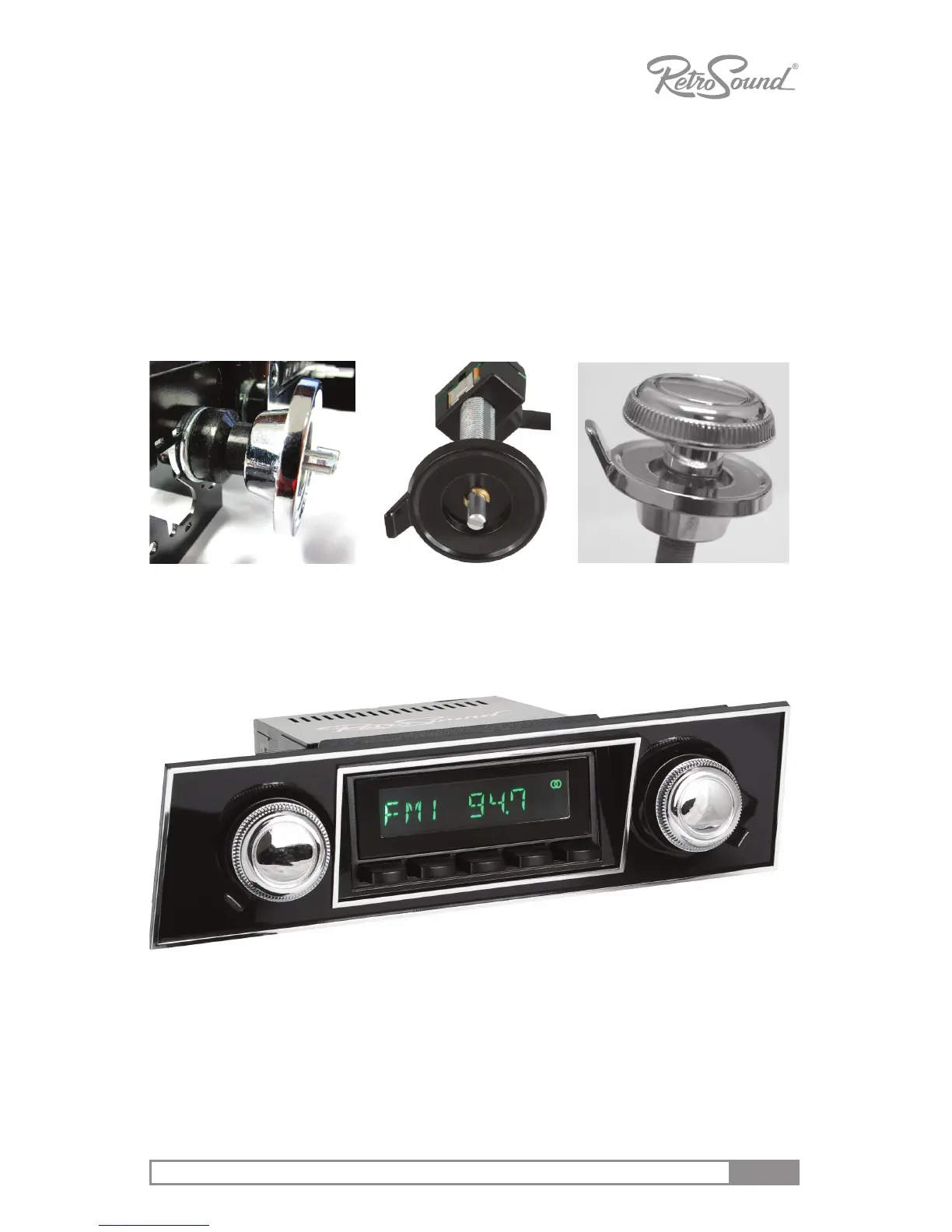
1. The included sha covers may be used to cover up excess sha metal
during your installaon. They can be cut to any length to conceal the sha
and make the install look more professional. See Figure 5 for an example.
2. Slide the rear knob over the sha, rotang it into the correct posion, and
push it into place. See Figure 6.
3. Mount the front knob. See gure 7 and 8.
Figure 8 - Final Result
Oponal 1967-68 Camaro faceplate
Figure 6 - Install
Rear Knob
Figure 5 - Shaft
Cover Installed (Note:
this is an optional
item to install)
Figure 7 - Install
Front Knob



 To Next Page