Operating the machine
25
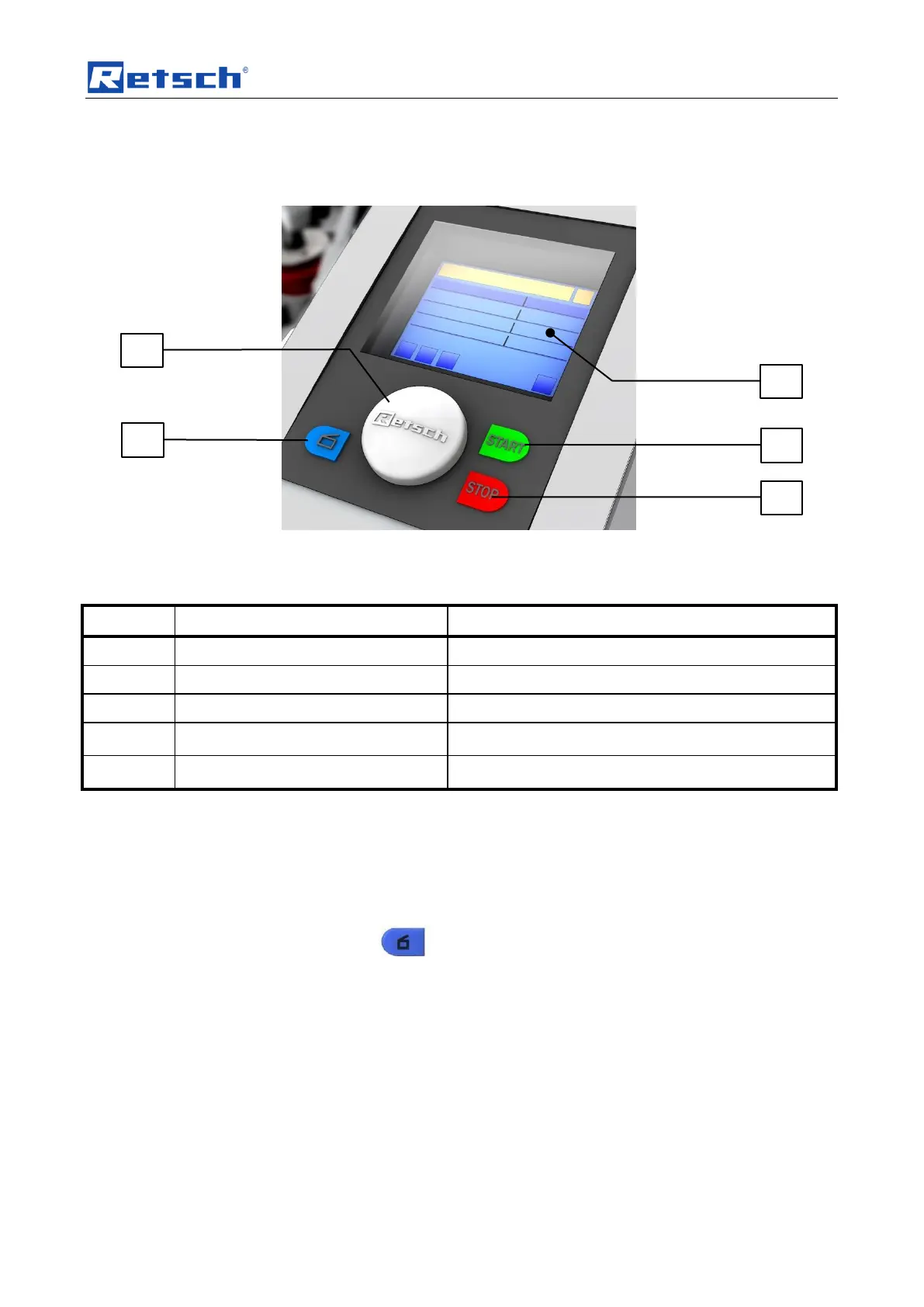
5.3 Operating elements and displays
Fig.
: View of the control panel
5.4 Overview Table of the Operating Elements and the Display
Control knob (rotary/push button)
Rotary control to operate the device settings
Displays the control functions and parameters
5.5 Opening the device
The following steps are necessary in order to be able to use and clamp the
grinding jar.
• Connect the device to the mains.
• Switch on the main switch at the back of the device.
• Press the button.
The safety lock opens and the lid can be lifted up
5.6 Closing the device
It is only possible to lock the grinding chamber if the device has been connected to
the power supply and the main switch at the back of the device has been switched
on.
• Shut the housing lid.
– A sensor detects the closing pin of the housing lid and the motorised lid
closing mechanism is switched on.
– The housing lid is locked automatically.


 To Next Page